August 2024 Newsletter
Bring Qualifier along on your next hot test trip
Two of our employees recently got back from a trip where they helped a customer test commercial vehicles under heavy load on steep grades in extreme temperature conditions. In fact, on the day pictured, the world's tallest thermometer measured 118° F! Qualifier has new EV features and dashboards that can help you evaluate how accessory loads and external factors affect propulsion and range prediction. It can also monitor the performance of your thermal management and charging systems. To learn more or set up a demo of our EV dashboard, contact your Aptiv representative or email qualifier@aptivcs.com.

Come see us at IAA and the Automotive Testing Expo

Are you planning to attend any trade shows this fall? We'll have booths at a couple of different events, and we'll be showing off the latest AI features we are integrating into Qualifier. Of course, we'll also have our newest hardware and demos of our most popular analytics dashboards. Here's where we'll be:
- September 17 - 22, IAA Transportation, Hanover, Germany
- October 22 - 24, Automotive Testing Expo, Novi, Michigan, USA
New features in Next-Gen Qualifier
Earlier this month, we pushed out a major update to the Next-Gen Qualifier interface. It included lots of new features:
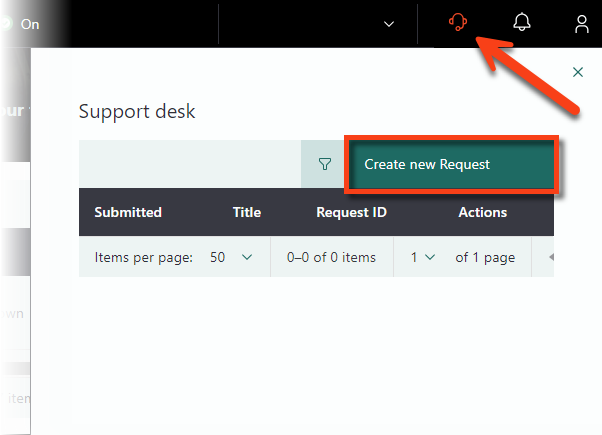
- Aptiv Support Desk access
- Comments on the Vehicles page
- Editable vehicle number and build
- MDF4 downloads from the Trips panel
- Notifications on the home page.
More details are available in the Help Center.
New additions to the Help Center
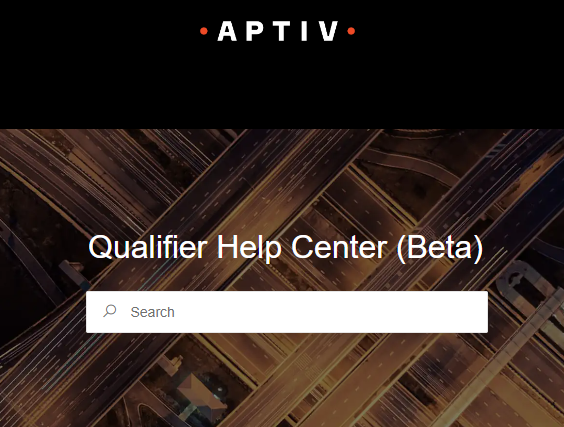
The Qualifier Help Center continues to improve all the time. It now has more how-to articles and new video content. We've also recently added sections with the release notes for AC-Graph and Developer, helping you stay up-to-date with the latest changes. Also, don't forget about the Status Center, which we've recently been using to notify customers about maintenance activities taking place after hours.
Upcoming maintenance
On Tuesday, August 27, between 6 am and 8 am EDT, Aptiv will be doing some back-end maintenance on Qualifier. You can continue using the Qualifier web application as usual, but you may experience a slight delay in processing any new data that gets uploaded during this time. Data processing should return to normal shortly after 8 am EDT.
Pro tip: Adjust the columns in Next-Gen Qualifier

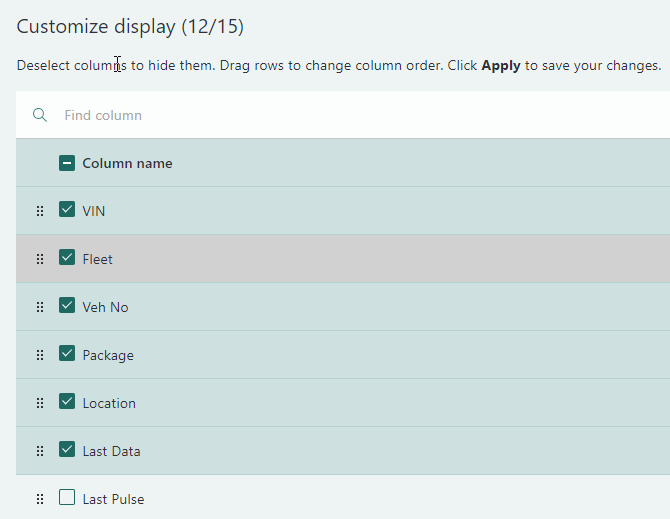
When you're using the Vehicles page or the Trips panel in the Beta Next-Gen user interface, you can customize the columns to match your preferred workflow. To change the columns, first, click the column icon in the upper right corner. In the Customize Display window, you can select or unselect different column names to make them visible or invisible. On this same window, you can also drag the columns around to change the order. Don't forget to click Apply to save your changes.
Look for these same customization capabilities in new Next-Gen pages that will be rolling out soon.
Your Aptiv team is here to help
Questions? Contact your Aptiv representative or email qualifier@aptivcs.com.
Aptiv Connected Services
5725 Innovation Drive, Troy, MI 48908