November 2025 Newsletter
Sent 11/252025
Thank you!
This week is Thanksgiving in the US, and we would like to take this opportunity to say thank you. Our business is built on relationships, and we sincerely appreciate each one of you. One of our goals for next year is to do more face-to-face meetings, so we hope to see you in person soon. It's been a great year, and we're looking forward to helping you solve your engineering challenges in 2026.
Make the most of employee fleets
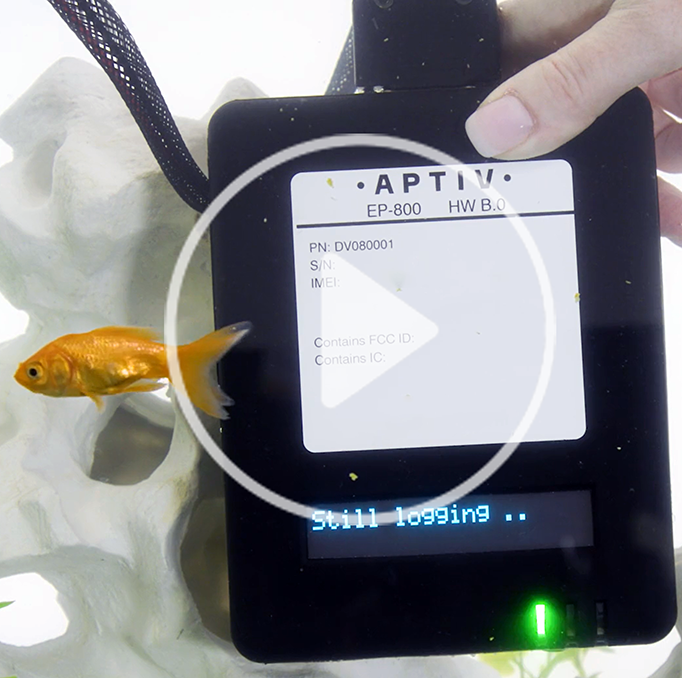
At recent trade shows, we've heard that many of you are moving away from traditional durability fleets and doing more testing with employee fleets. If this is the case for your team, we'd love to talk. Because it is small, rugged, and affordable with internal antennas, the EP-800 is a good choice for many of these use cases. We can also install the EP-2000 in a case that minimizes external wiring and protects the hardware. Talk to your Aptiv representative or email qualifier@aptivcs.com to learn more.
Please complete the survey
The next time you log in to Qualifier, you may have the option to take a short survey. Please take a minute to complete it. We really appreciate your feedback. It will help us continue to improve Qualifier and ensure we are meeting your needs.
More improvements for Video Insights
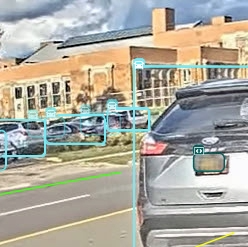
Sometimes Video Insights puts so many words on the screen in AC-Graph that it can become overwhelming. A new UI improvement allows you to select whether you see labels as text or just icons, which take up a lot less space. To make the change, go to the Media tab in AC-Graph and click Video Insights. In the upper right corner of the Video Insights panel, choose Text or Icons. Reminder: this panel also lets you turn types of labels on or off, so if you don't want to see a label for every car on the screen, you can turn those off.
Pro tip: Speed up Qualifier with Global Filters
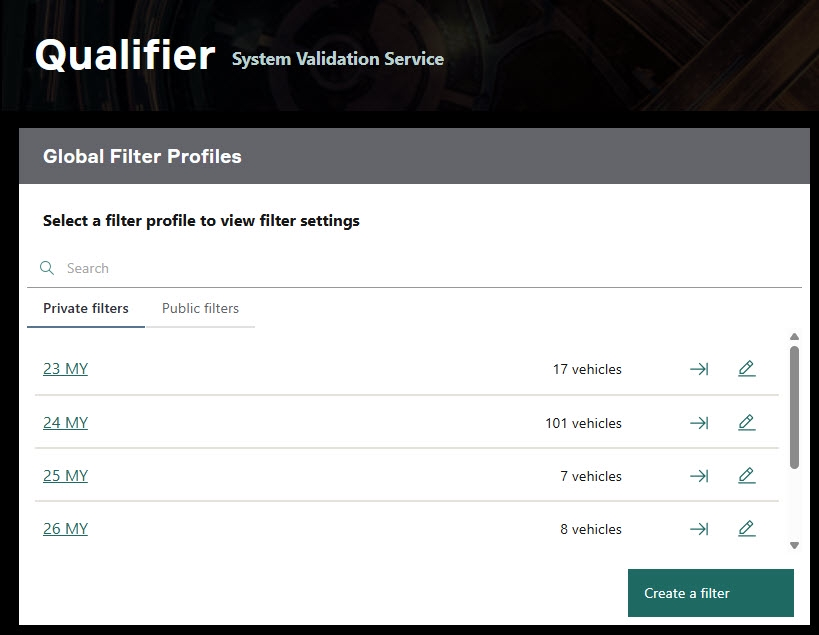
Global filters are the best way to speed up the Qualifier web application. They narrow down your dataset to just the information that's of interest to you, eliminating the waste of processing and displaying data you don't need for the task at hand. Filters also make it easier to find what you're looking for and troubleshoot issues. Check out the article in the Help Center for more information on setting up Global Filters.
Your Aptiv team is here to help
Questions? Contact your Aptiv representative or email qualifier@aptivcs.com.
Aptiv Connected Services
5725 Innovation Drive, Troy, MI 48908