February 2026 Newsletter
Leverage your employee fleets
If you are troubleshooting a widespread issue, employee fleets can be an excellent source of data for analysis. With its small size and IP68 rating, the EP-800 is the perfect hardware for the job. It fits under the driver's seat and doesn't require external antennas. It will even be fine if you accidentally spill coffee on it or kick it while getting into the vehicle. Contact your Aptiv representative or email sales@aptivcs.com to learn more.
Next-Gen Qualifier is exiting beta
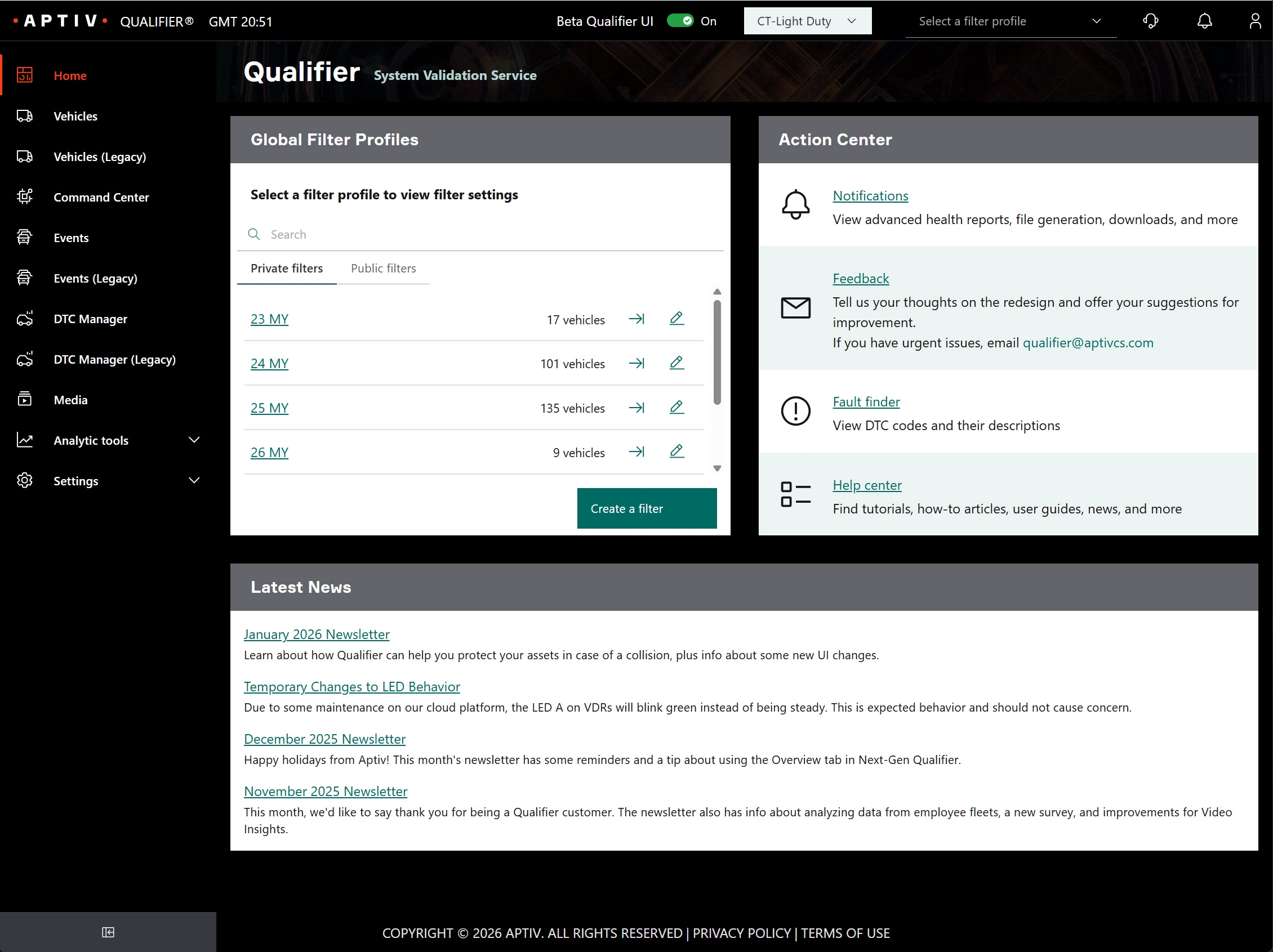
If you've been using the Next-Gen interface, you've probably noticed that it has gotten much better with time. At the end of March, we're planning to officially remove the "beta" label. We're also going to make Next-Gen the default interface. You can still switch back to the Legacy interface at any time, but Next-Gen will be the default setting. Please contact your Aptiv representative if you have any questions.
Qualifier demos in Korea
Aptiv will be at the Automotive Testing Expo Korea March 18-20. If you're in the Seoul area, please stop by stand 7015 and say 안녕하세요 annyeonghaseyo. Free tickets are available here. We'll be showing off the EP-800, Video Insights, and the entire Qualifier solution. We're looking forward to seeing our Korean customers and making some new friends in the Korean automotive industry.

March 18-20
Kintex Hall 10 B
Stand 7015
Thanks for taking the survey
We'd like to say a big thank you to everyone who took the time to complete the Qualifier survey. We received a lot of valuable feedback that will help us make improvements to Qualifier. You rated Qualifier quite well: the average rating was 9.0 out of 10, and the net promoter score was 39.4 (up from 32.2 in 2024). In the coming months we'll be implementing some of your valuable suggestions.
Pro tip: Search for multiple VINs at once
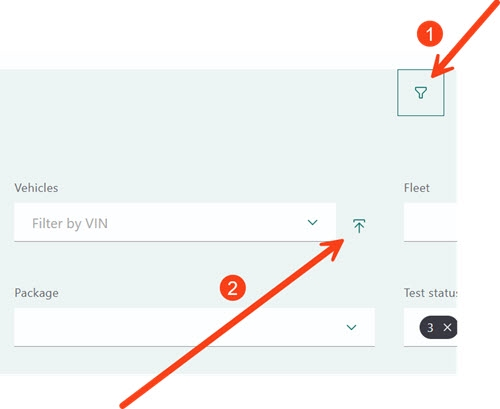
Next-Gen Qualifier has a new bulk VIN search feature. To find it, first click the filter icon (looks like a funnel) next to the omnisearch bar on the Vehicles, Events, or DTC Manager page. Then click the Bulk VIN import icon next to the vehicle filter box. You'll be able to paste a list of VINs separated by commas or line breaks. This feature can be especially helpful when you are looking for a list of VINs that you have in a spreadsheet.

Your Aptiv team is here to help
Questions? Contact your Aptiv representative or email qualifier@aptivcs.com.
Aptiv Connected Services
5725 Innovation Drive, Troy, MI 48908