September 2025 Newsletter
Get your free or discounted pass for The Battery Show
Next week is The Battery Show and Electric & Hybrid Vehicle Technology Show in Detroit, and Aptiv Connected Services will be there. More importantly, we have free expo passes and discounted conference passes to give away. Use our invite link and the promo code INVITE99259 to get a free expo pass or 20% off a conference pass. Then stop by Huntington Place October 6-9 and visit us in booth 1136. We'll be showing off our EV dashboards, as well as our new EP-800 VDR hardware, Video Insights, and more.

Come see us at the Automotive Testing Expo in Novi

Suburban Collection, Novi, Michigan
October 21-23
Booth 15002
Two weeks after The Battery Show, we'll be at another show in the Detroit area, the North American Automotive Testing Expo. This one is free for everyone, and it runs October 21-23 at the Suburban Collection Showplace in Novi, Michigan. We'll be near the entrance in booth 15002. We have some great demos, including a sneak peek of our new AC-Lens mobile application, and we have some swag to give away. If you attend, stop by and say hello!
AI search in the Qualifier Help Center
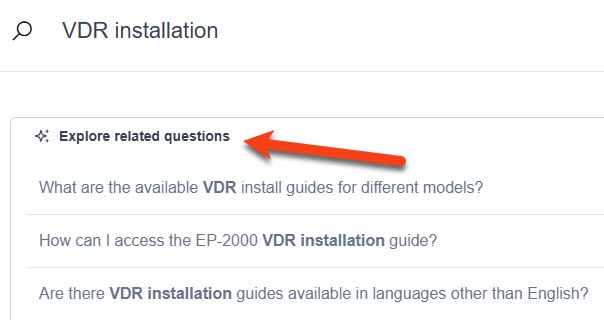
The Qualifier Help Center now has AI search. To use it, enter terms in the search box like normal and press the Enter key. In your search results, you'll see an option to Explore related questions. If you click it, you'll see AI-generated answers to common questions. Try it out and let us know what you think.
Video Insights road lines
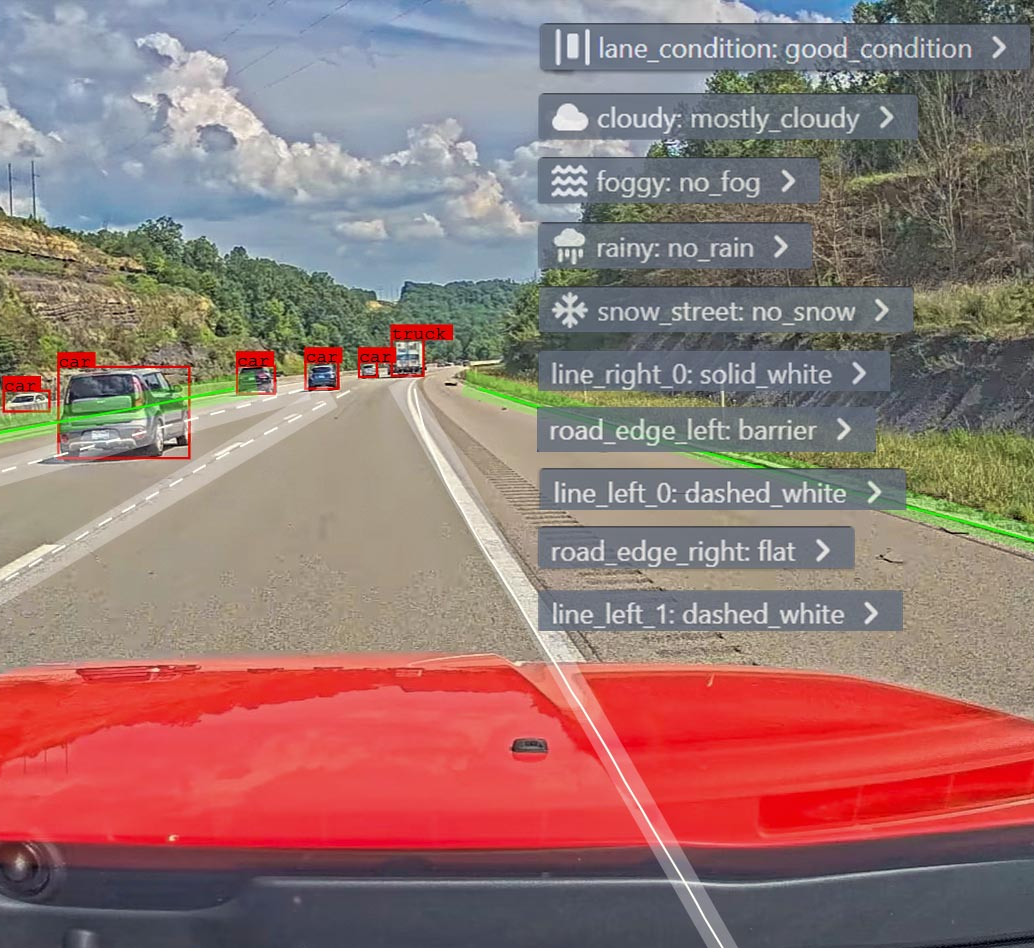
Video Insights, Qualifier's tool that uses AI to label objects and conditions in test drive video, keeps getting better all the time. The newest release can identify construction zones, stop signs, school zones, and whether it is day or night. It also tags lane markings, and it notes whether the edge of the road is a guardrail, fence, curb, wall, etc. For this month's events, we put together a video that shows how it looks. Check it out and see if you can figure out where the videos were captured.
Pro tip: Move graphs to a new page
We've mentioned in the newsletter before that if you want to graph a lot of signals in AC-Graph, you can improve performance by adding a new page. To do so, click Viewing Page X (X of X), then click + Add new page.
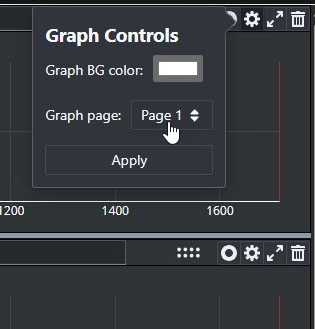
If you want to move a graph from one page to another, click the gear icon in the graph area. Then use the Graph page dropdown to select the page where you want to move the graph, and click Apply. This same settings function also allows you to change the background color for your graph, in case you want to highlight it.
Your Aptiv team is here to help
Questions? Contact your Aptiv representative or email qualifier@aptivcs.com.
Aptiv Connected Services
5725 Innovation Drive, Troy, MI 48908