March 2025 Newsletter
The EP-800 goes anywhere!
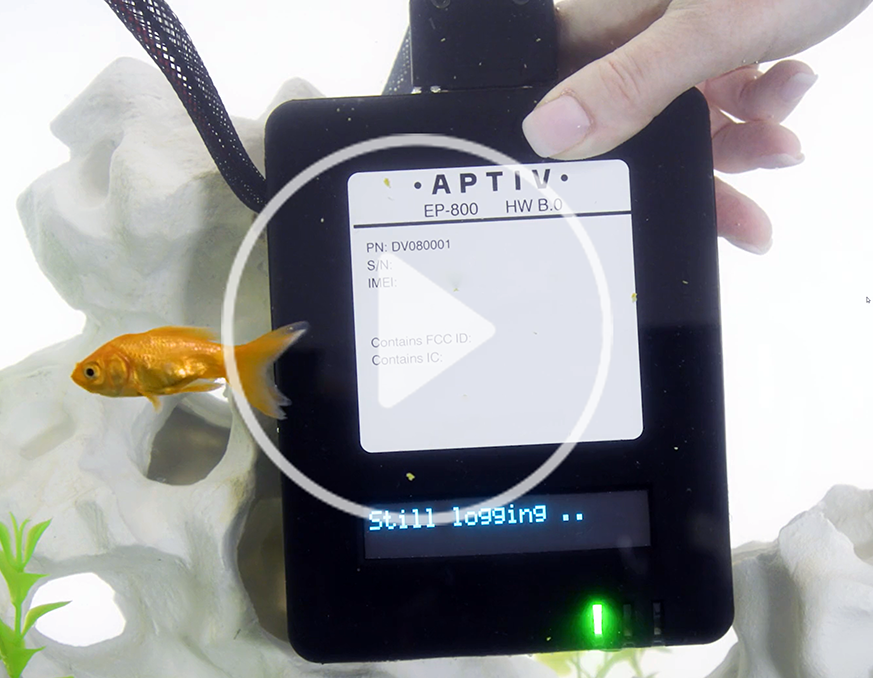
We're in the final stages of testing our upcoming EP-800 vehicle data recorder. It's the only compact, waterproof, dustproof, cold-resistant device of its kind that also has internal antennas. It even kept logging data when we put it in a fish tank, as you can see in our new video. To learn more, check out the EP-800 data sheet. And if you have questions, talk to your Aptiv representative, or email qualifier@aptivcs.com.
DTC Manager comes to Next-Gen Qualifier
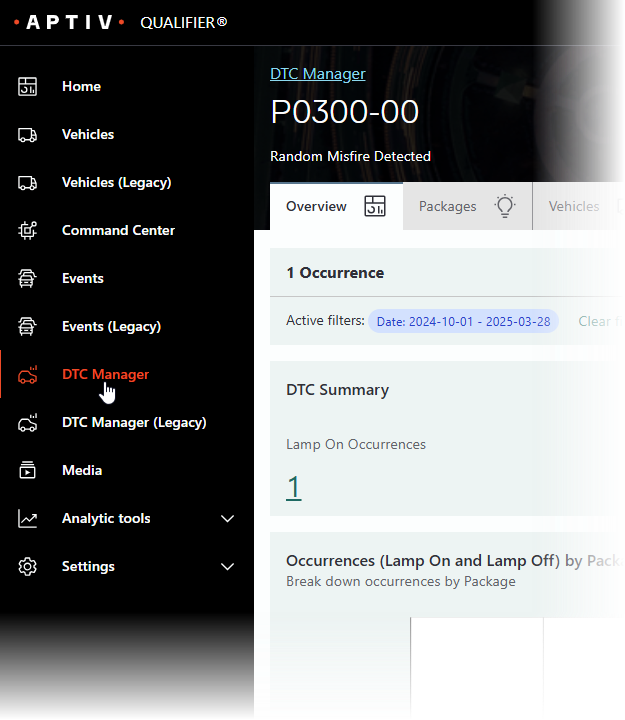
The Next-Gen interface now has a redesigned DTC manager page. To access it, click DTC Manager in the left navigation. You'll find it has a couple of great new features. First, if you are looking for a particular DTC, you can type the name of the code into the omnisearch bar to find it. Second, if you click on a particular DTC, you'll be able to toggle among the Overview, Packages, and Vehicles tabs.
If you prefer the old version of the DTC Manager page, you can still access that from Next-Gen Qualifier by clicking DTC Manager (Legacy) in the left navigation.
Come see us in Chennai
It's almost here! Aptiv Troy staff will be flying out later this week to attend the Automotive Testing Expo India, which takes place at the CTC Complex in Chennai April 8-10. Stop by booth 3034 to see our new EP-800 hardware, which is ideal for two-wheelers, commercial vehicles, construction equipment, and agricultural equipment. We'd love to chat about your current validation challenges.

If you can't come to Chennai, come to Stuttgart

Messe Stuttgart
May 20-22
On the heels of the show in India, we'll also be heading to the Automotive Testing Expo Europe May 20-22. Like last year, the show is at Messe Stuttgart in Germany. You'll be able to see the new EP-800 and learn more about how you can use Video Insights and Qualifier Analytics to validate that your vehicles comply with EU regulations. We'll also be sharing tips on troubleshooting battery issues. We hope to see you at booth 1583!
Pro tip: Use the AC-Graph Event Timeline
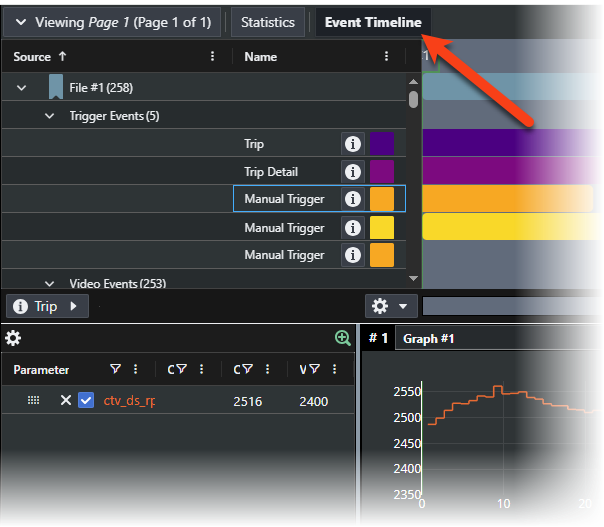
AC-Graph has a new feature you may have missed. If you click Event Timeline at the top of the window, you'll open a panel showing all the files and events related to the file you are currently viewing. In addition, if you have Video Insights enabled, the Event Timeline will show you all the video labels from the file and allow you to jump to those points in the video. It's a really helpful way to visualize all the data you have available.

Your Aptiv team is here to help
Questions? Contact your Aptiv representative or email qualifier@aptivcs.com.
Aptiv Connected Services
5725 Innovation Drive, Troy, MI 48908