October 2024 Newsletter
Check out the new ADAS dashboards
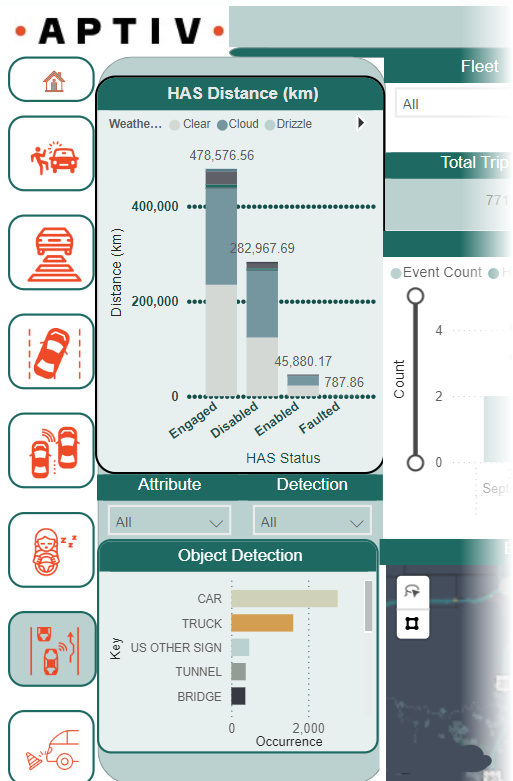
If your team validates ADAS features, Qualifier has two new Analytics dashboards that could make your life a lot easier. The ADAS Testing dashboard tracks your progress toward meeting testing targets under various conditions. For example, you can see how many miles you have driven in rainy weather with the adaptive cruise control engaged or if your drivers are disengaging the drowsiness detection. The ADAS Feature dashboard helps you immediately measure feature performance and identify issues. It also integrates with Video Insights, providing more clarity on specific scenarios. For example, it can show you if your automatic emergency braking system is mistakenly activating around underpasses on foggy days. To see the dashboards in action, talk to your Aptiv representative about setting up a demo, or email qualifier@aptivcs.com.
Thanks for visiting us at the Expo

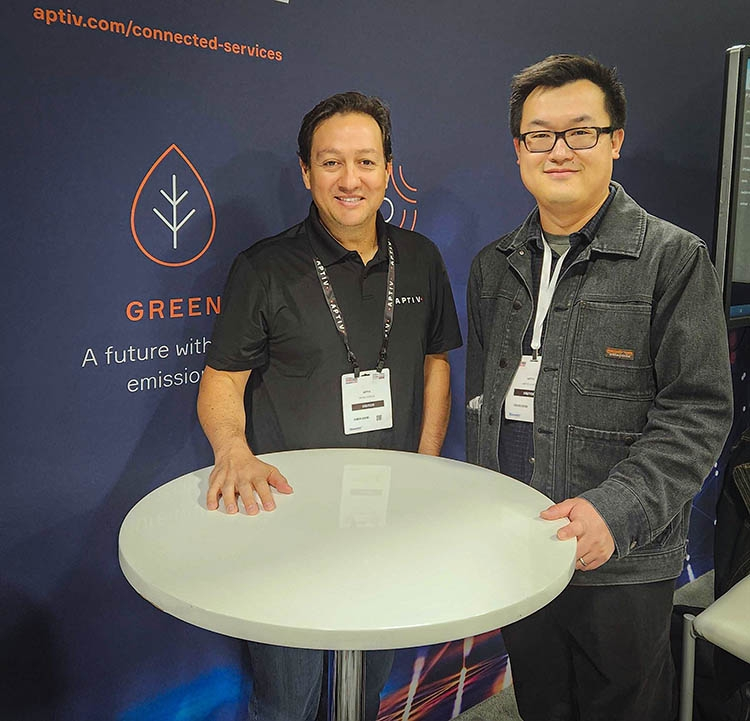
It was great to meet with many of you at the Automotive Testing Expo last week. If you weren't able to make it but are still interested in seeing Video Insights, the ADAS and EV dashboards, or the upcoming EP-800 hardware, talk to your Aptiv representative or email qualifier@aptivcs.com. We'd love to hear your feedback on our newest products.
Updated: EP-2000 LED decoder
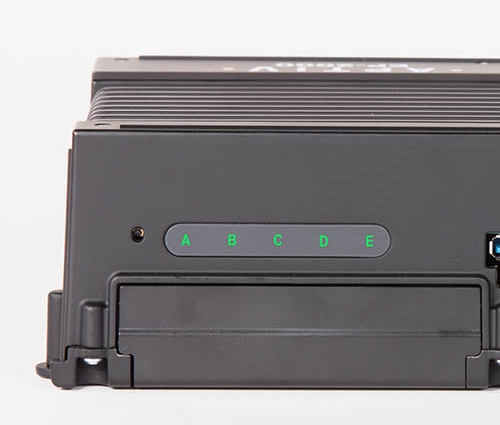
We recently updated our EP-2000 LED decoder that explains what all the blinking lights on the VDR mean. You can find this guide and a lot of other helpful resources in the Qualifier Help Center. It has VDR install guides, release notes, data sheets, white papers, videos, and of course, detailed tutorials and instructions for using the Qualifier web application. Check it out, and let us know if you have any suggestions for improving the content that's there.
Reflash services available
If you're a newer Qualifier user, you might not know that Aptiv's Movimento Group provides reflash services. We recently finished up an emergency reflash project where we reflashed 15,000 vehicles in just 21 days. We also provide ongoing reflash services to testing and validation teams, which frees up engineers to do more valuable work. Learn more at movimentogroup.com.
Pro tip: Reduce (or expand) the number of items per page
If Qualifier is loading slowly for you, try reducing the number of items visible in the tables. (And if you have plenty of bandwidth and want to see more, you can also increase the number of items you see.) Here's how:
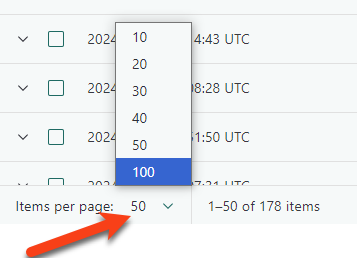
In Next-Gen Qualifier, look for the drop-down next to the words Items per page in the lower left corner of a table. You can select 10, 20, 30, 40, 50, or 100.
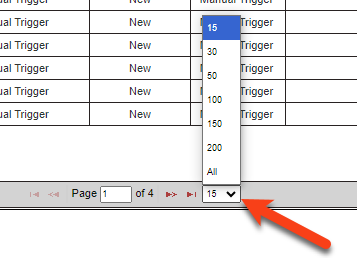
In the Legacy UI, you can find an unlabeled drop-down in the center of the window, directly below the tables. You can select 15, 30, 50, 100, 150, 200, or All. However, we recommend 50 items per page or fewer for the best performance.
Note that you will need to adjust each table separately. Your selection does not carry over from one page to another.
Your Aptiv team is here to help
Questions? Contact your Aptiv representative or email qualifier@aptivcs.com.
Aptiv Connected Services
5725 Innovation Drive, Troy, MI 48908