May 2024 Newsletter
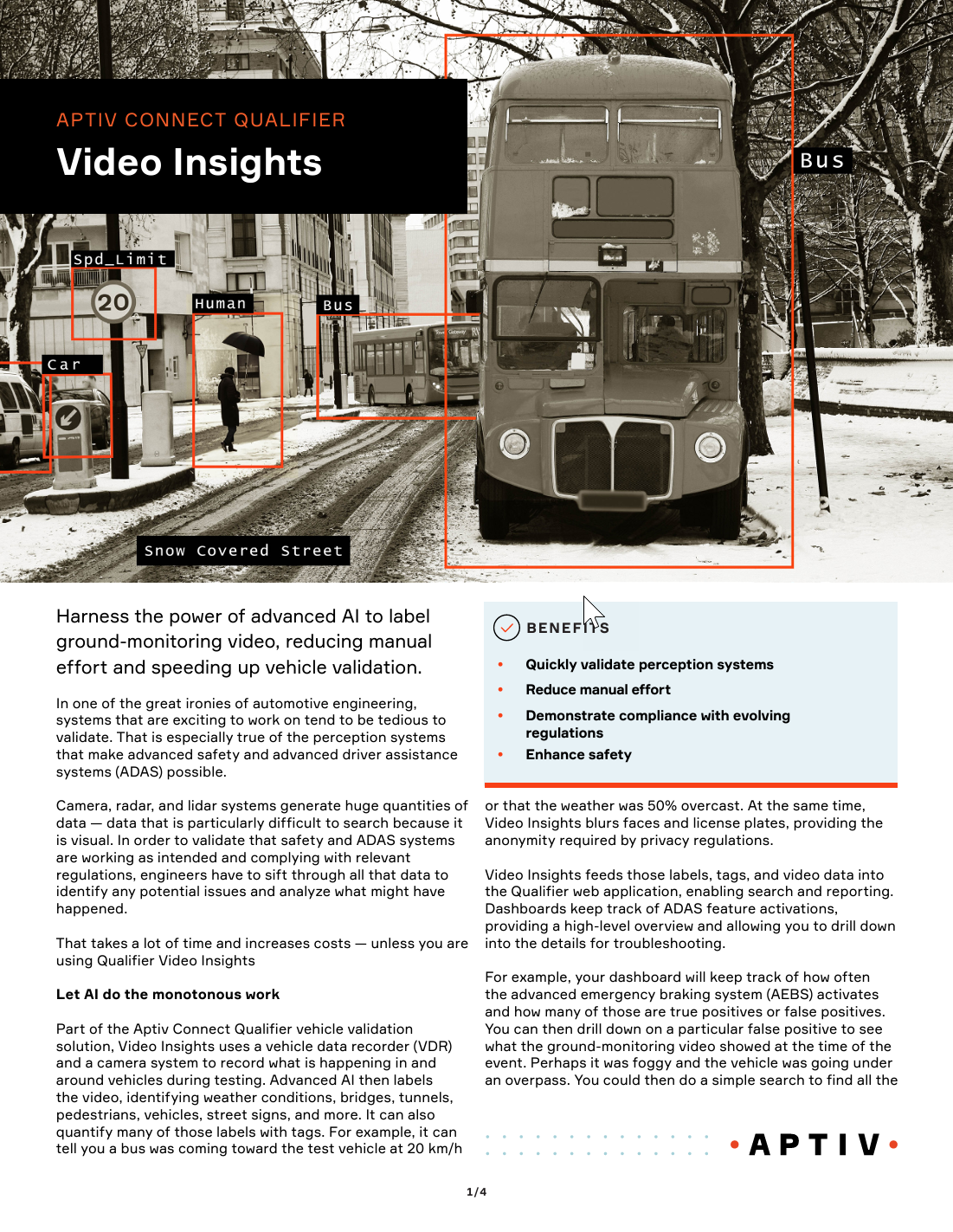
Coming soon: Qualifier Video Insights
If you've had to search through video footage to find something specific, you know how time-consuming and frustrating that process can be. Qualifier is getting a new optional feature that will use AI to tag vehicles, road signs, weather conditions, and more in your videos. You can then search for those tags or create custom dashboards. It dramatically reduces manual effort and speeds up troubleshooting. Check out the solution brief for more details.
New feature: AC-Graph thresholds
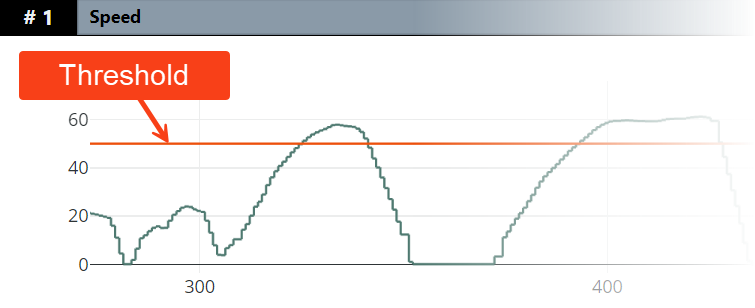

Have you ever wished you could add a threshold line to a graph in AC-Graph? Now you can. To get started, click the custom parameter icon (see left) below the parameter list. Complete the fields on the form and click Save then Close. The new custom threshold will appear in the parameter list, and you can then drag it to the graph where you want it to appear. See the Help Center for complete directions.
Come see us in Messe Stuttgart June 4-6
Aptiv Connected Services will be at the Automotive Testing Expo in Messe Stuttugart, Germany, June 4-6. If you're planning to be at the event, come visit us in booth 1132. Also, make sure to see Aptiv's Antonio Bonetti present "Strategies for Maintaining Compliance Amid Changing Regulations" Thursday, June 6, at 10 am. If you'd like to set up a time to meet with us or if you'd like us to send you a copy of the slides and accompanying white paper after the presentation, sign up here.

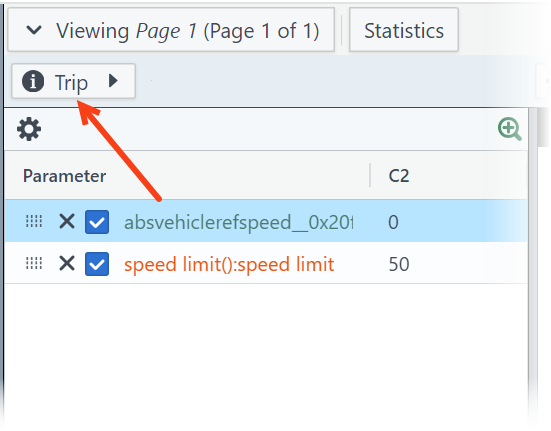
Pro tip: Use the AC-Graph Trip Info button
You might never have noticed it, but the Trip Info button above the graph legend in AC-Graph provides a lot of useful information and options:
- View a list of related files
- Open related files in AC-Graph
- Create shareable links
- View event trigger logic
- View snapshot data
- Download CSV files
- And more!

Your Aptiv team is here to help
Questions? Contact your Aptiv representative or email qualifier@aptivcs.com.
Aptiv Connected Services
5725 Innovation Drive, Troy, MI 48908