February 2024 Newsletter
Did you know Aptiv offers APIs?
While most Qualifier customers prefer to interact with their vehicle data through the Qualifier web application, you have the option of purchasing API access to import data into your own systems. If you're not sure what that means, we have a Introduction to APIs in our Qualifier Help Center. If you'd like more info about our APIs, contact your Aptiv representative or email sales@aptivcs.com.
Import other data into Qualifier
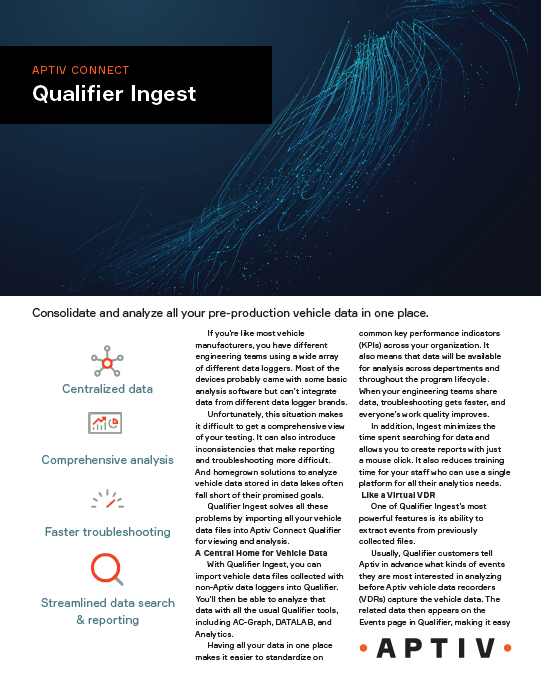
Imagine a situation where one of your test vehicles suddenly loses charge for unknown reasons. You're having trouble figuring out the root cause of the problem, but you've heard through the grapevine that another group of test vehicles has occasionally experienced the same problem. Unfortunately, those other vehicles have data loggers from a vendor other than Aptiv. With Qualifier Ingest, you can import that other data into Qualifier and run analytics to figure out how often the problem is happening, when, on what kinds of vehicles, and what the ultimate cause might be. To learn more, check out the Qualifier Ingest solution brief.
Will you be at the TMC conference?
Aptiv will have a booth at the American Trucking Association's TMC Annual Meeting March 4-7 in New Orleans. If you or other people from your organization will be there, we would love to meet with you. Email us at qualifier@aptivcs.com to set up a time or just stop by booth 4147. Hope to see you there!

Template improvements in AC-Graph
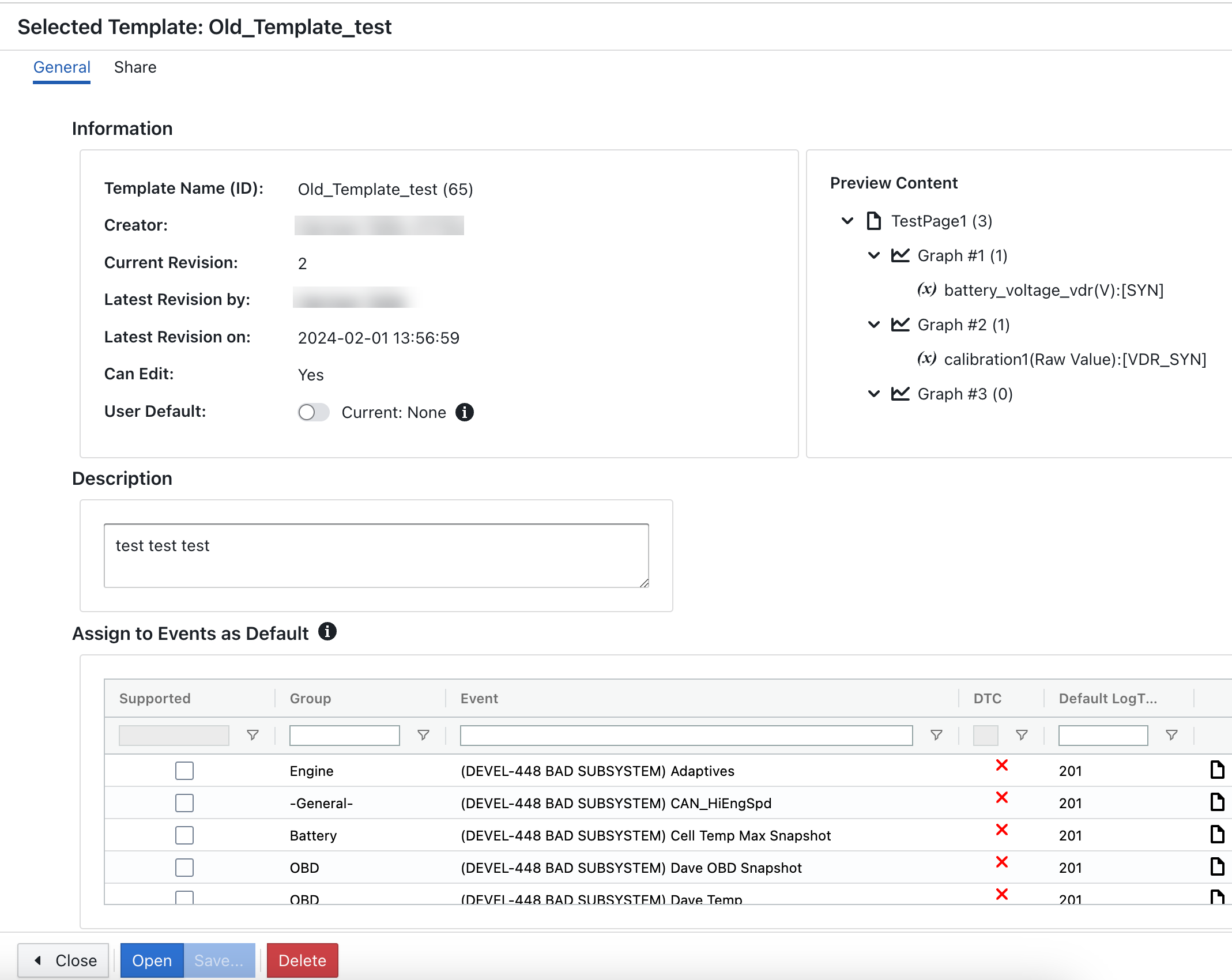
We recently streamlined the interface to make it easier to set up templates in AC-Graph. You can now see all your options at once, and there's a new Preview Content section that shows which signals you're saving in the template. The Share tab at the top also makes it easy to share your template with your co-workers. Check it out next time you're using AC-Graph, and let us know what you think.
Pro tip: Tell us your ideas for new Analytics reports
Do you have an idea for a dashboard that would be really useful to you in your job? We'd love to hear it, and you can share your thoughts through the Aptiv Support Desk. Here's how:
- In Legacy Qualifier, click the toolbox icon (looks like a wrench and a screwdriver) in the upper right corner.
- Click Aptiv Support Desk.
- On the new window, click Create Request.
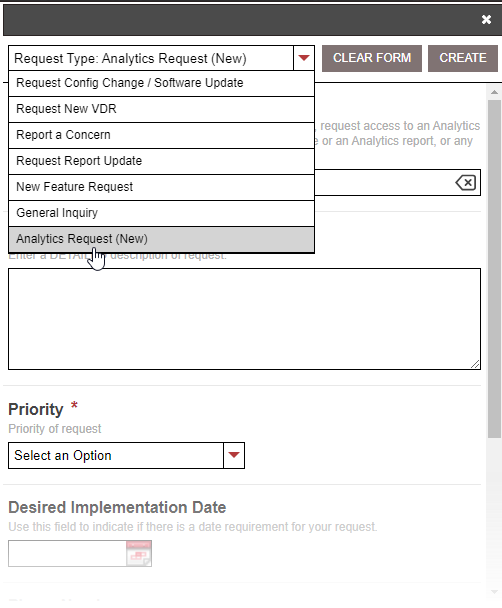
- On the request form, select Analytics Request (New) as the request type, then fill out the rest of the form.
- When you're finished, click Create. We'll take a look and get back in touch with you.
Your Aptiv team is here to help
Questions? Contact your Aptiv representative or email qualifier@aptivcs.com.

Aptiv Connected Services
5725 Innovation Drive, Troy, MI 48908