November 2023 Newsletter
Have you tried Next-Gen Qualifier?
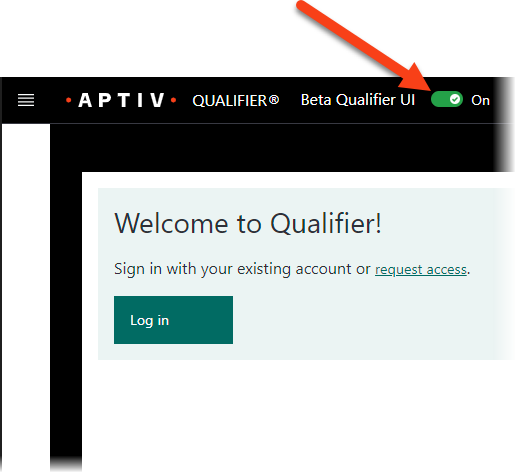
Earlier this month, we rolled out a beta version of our new Next-Gen Qualifier interface. To check it out, slide the Beta Qualifier UI toggle at the top of the window. If you prefer the Legacy interface, you can always toggle back. The Next-Gen interface offers faster performance, plus omnisearch capabilities, customizable columns, and more. We'd love to hear what you think about it. You can use this online form to submit feedback anonymously or email us at qualifier@aptivcs.com.
New features in AC-Graph
Qualifier's AC-Graph visualization tool recently received a trio of minor improvements you might have missed:
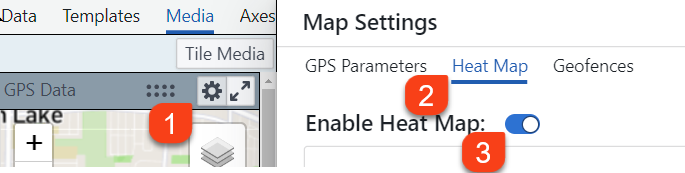
- Geofence access: If you have event triggers that include geofences, you can see them in AC-Graph. From the GPS map, click the settings gear, then Geofences.
- Updated heat map interface: From the same map settings window, select Heat Map > Enable Heat Map as shown above. The updated interface makes it easier to color code your route map based on a parameter setting, and it can automate color selection.
- Updated color picker: Speaking of colors, AC-Graph also has an improved interface for selecting colors throughout the application. It now allows you to select a specific color based on RGB, HSL, or hex values.
Visit us at CES 2024
Aptiv will be attending next year's CES trade show, which takes place January 9-12 in Las Vegas. If you or someone else from your organization will also be at this event, we would love to give you a private tour of the Aptiv pavilion. To reserve your spot, register online today.

Check out the Help Center
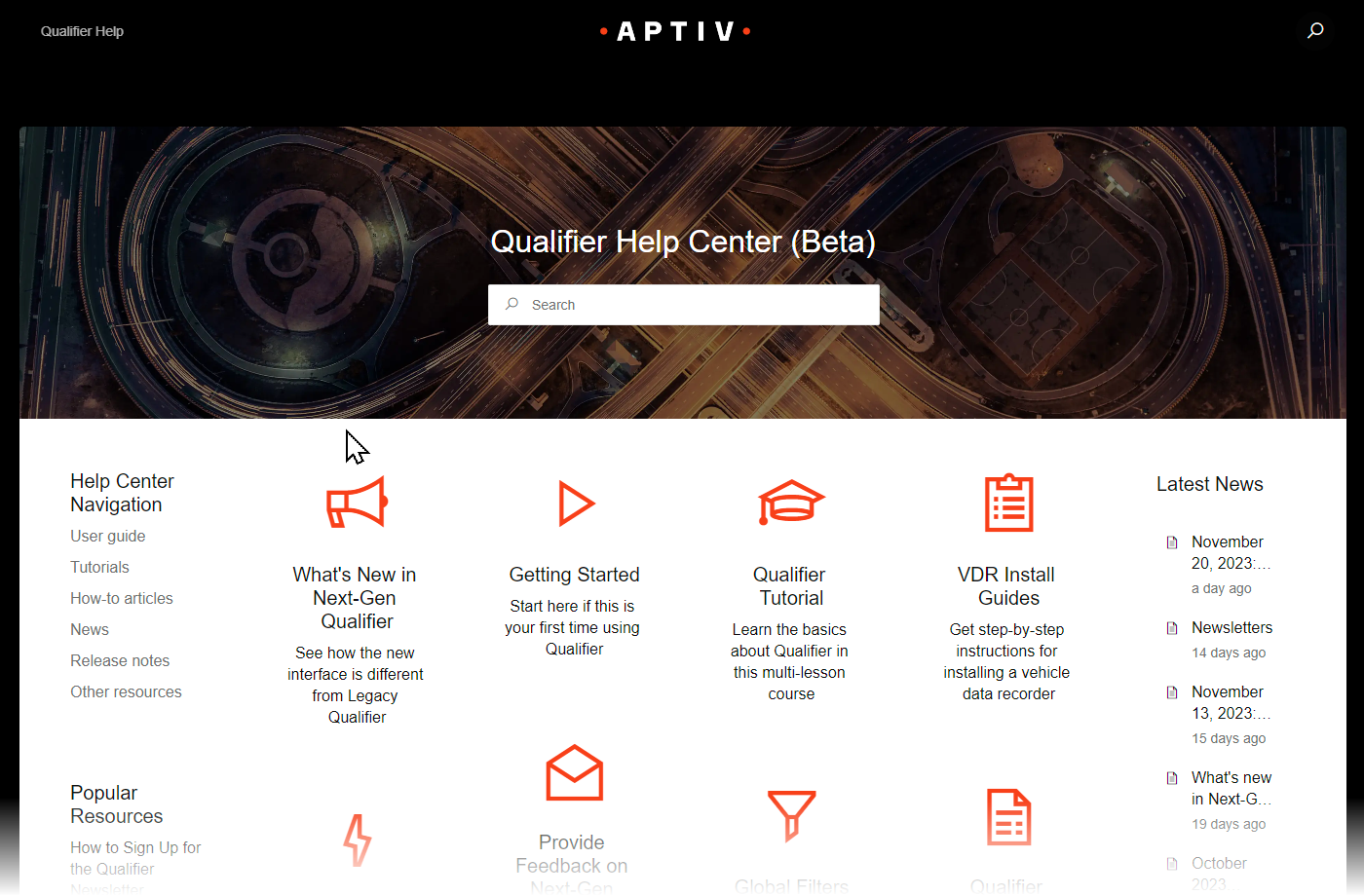
When we rolled out the beta version of Next-Gen Qualifier, we also unveiled our new Help Center. It's a great place to find important announcements, tutorials, release notes, the user guide, VDR install guides, and copies of newsletters. Take a look and let us know what you think. We plan to keep improving it over time to make it as useful as possible.
Please use an aptivcs.com URL
In the past, you may have accessed Qualifier via a URL that ended in control-tec.com. Several years ago, we began transitioning away from these addresses to URLs that end in aptivcs.com. Please be aware that the control-tec.com URLs are no longer functional and will redirect you to the appropriate aptivcs.com URL. We recommend that you update any browser bookmarks with the new URL if you haven't done so already.

Pro tip: Adjust date filters on the Next-Gen Trips panel
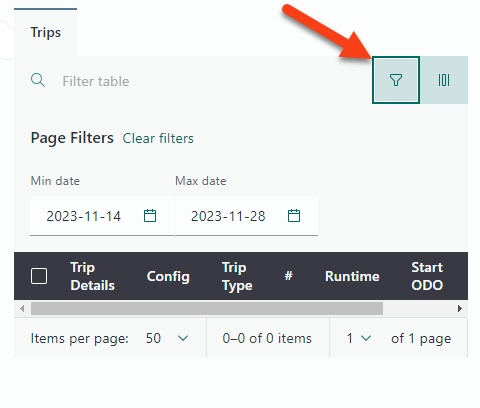
If you don't see any trips listed after you click a VIN on the Next-Gen Vehicles page, you might need to adjust the date filters. By default, Qualifier displays only recent trips. (Your organization chooses the default period of time, which is usually two or three weeks.) To see older trips, click the filter icon and then adjust the Min date and Max date filters as necessary.
Your Aptiv team is here to help
Questions? Contact your Aptiv representative or email qualifier@aptivcs.com.

Aptiv Connected Services
5725 Innovation Drive, Troy, MI 48908