Getting help
Qualifier is configured for your organization, which means some of the questions you will have are about the application and some are about your particular setup. The route to an answer differs depending on which kind you have.
The support desk
The support desk is the way to reach your Aptiv customer support engineer (CSE). It ties into Aptiv's ticketing system, so a request raised here becomes a tracked ticket rather than an email that may or may not get picked up.
Open it from the headset icon in the top bar. From there you can see your active tickets, open a new request, and edit or cancel one you have already raised.
Use it for a new Analytics report or a change to an existing one, a question about what a report contains, a problem with the application, or anything about the recorder in the vehicle.
Step-by-step, see Submit a support ticket.
Fault finder
When the question is only "what does this code mean," you do not need a ticket. Fault finder sits in the Action Center on Home and looks up diagnostic trouble codes and their descriptions.
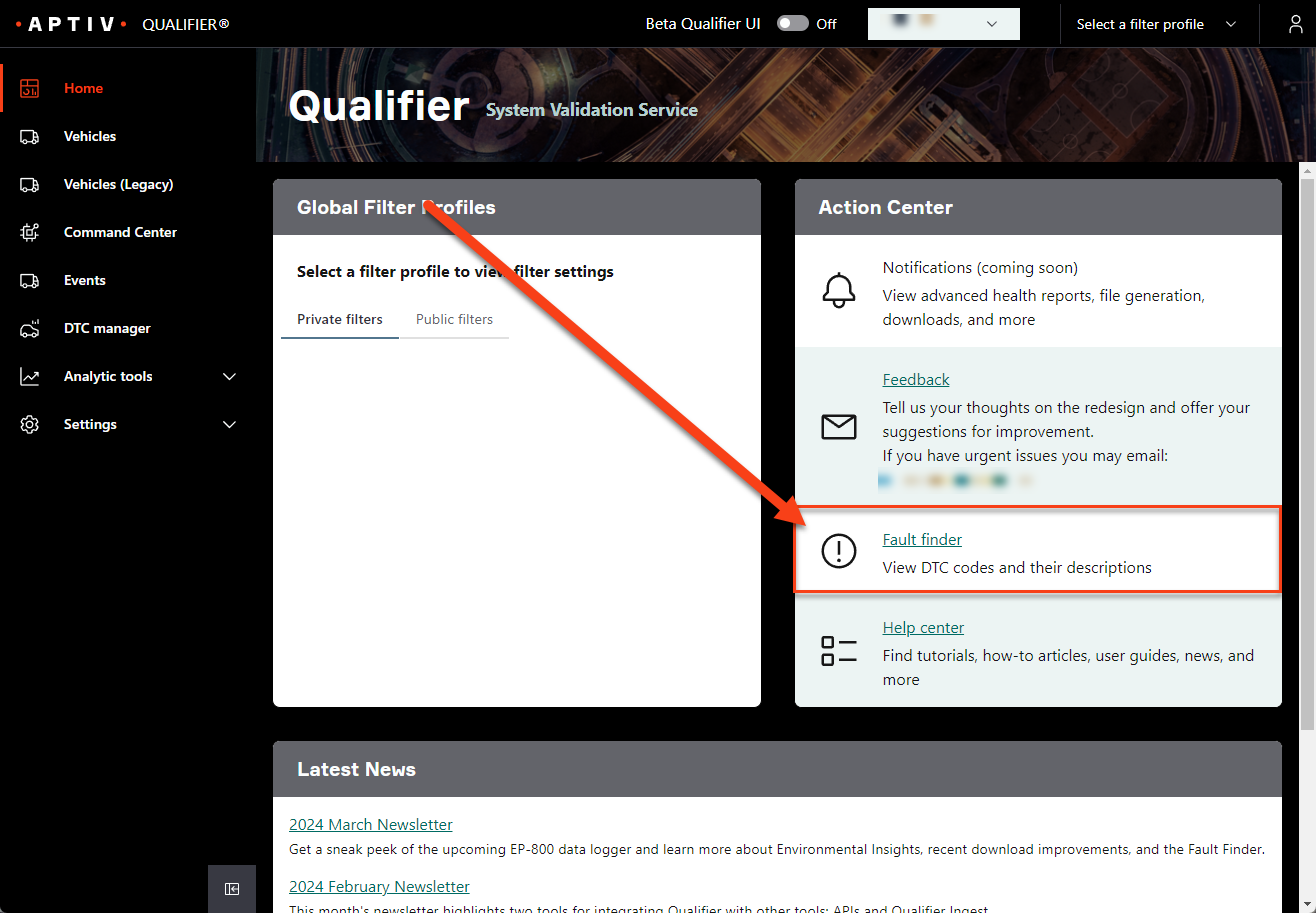
Enter the code and Qualifier returns the description.
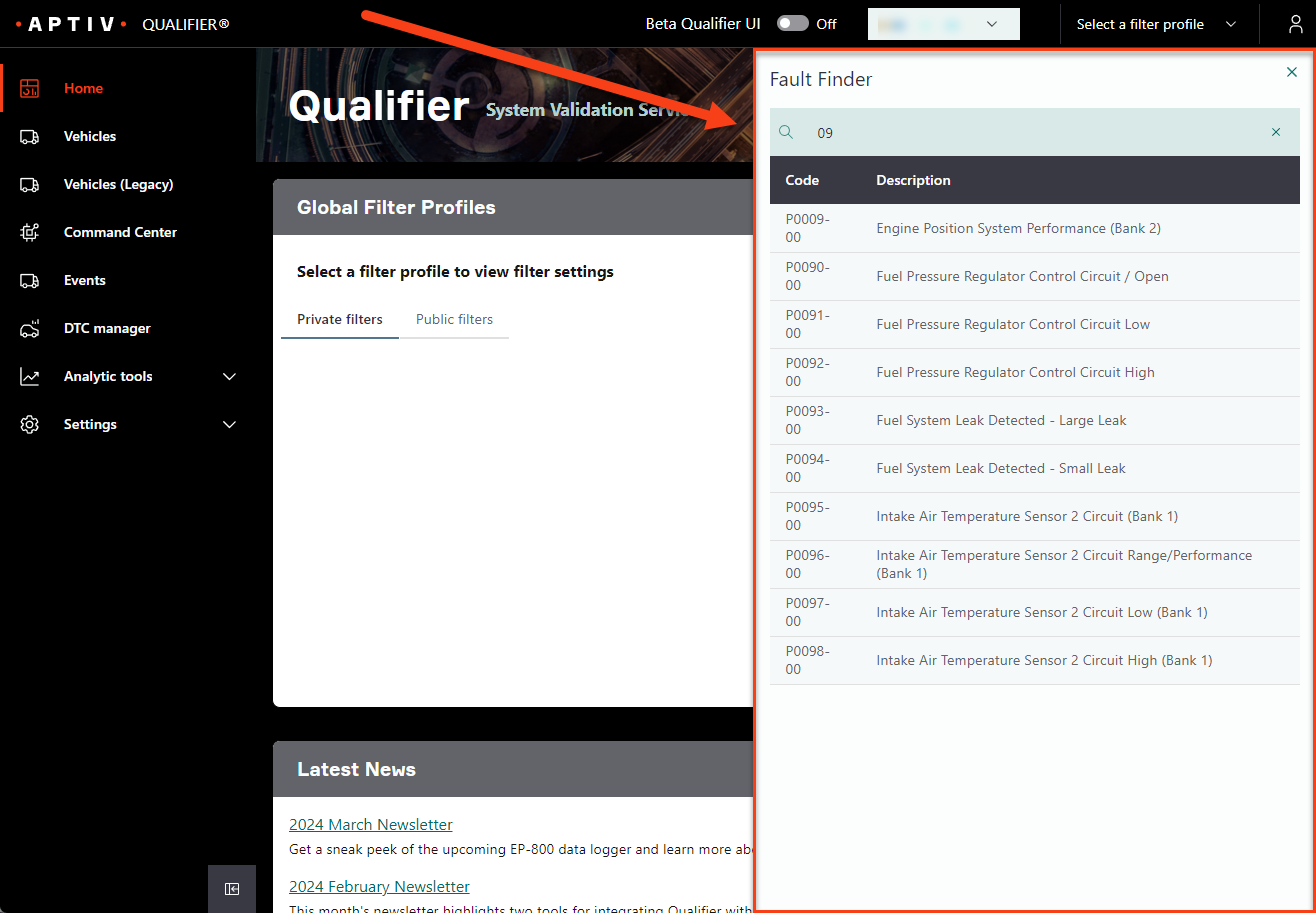
This Help Center
The Help Center is linked from the Action Center on Home. Search covers every page of it at once, which is usually faster than navigating to what you want.
It is organized by the kind of question you have:
- Tutorials, these pages, teach a subject from the beginning.
- User Guide explains a page, control, or feature.
- How-To gets you through one specific task.
The newsletter
The monthly Qualifier newsletter covers new features, fixes, and tips. It appears in Latest News on Home, and you can have it emailed to you. See Sign up for the newsletter.