Support
Qualifier includes tools for looking up common diagnostic codes and contacting Aptiv when you need help with the application, your configuration, or a data collection device. Choose the quickest route below based on the question you have.
The support desk
The Aptiv Support Desk connects you directly to Aptiv Connected Services. Use it to:
- Report a problem with the application
- Request a new feature
- Tell Aptiv about a config change or a new vehicle data recorder (VDR)
- Ask a question
- Request a new Analytics report, or a change to an existing one
Each submission creates a request in Aptiv's ticketing system. You and anyone added as a watcher receive email updates as the request progresses.
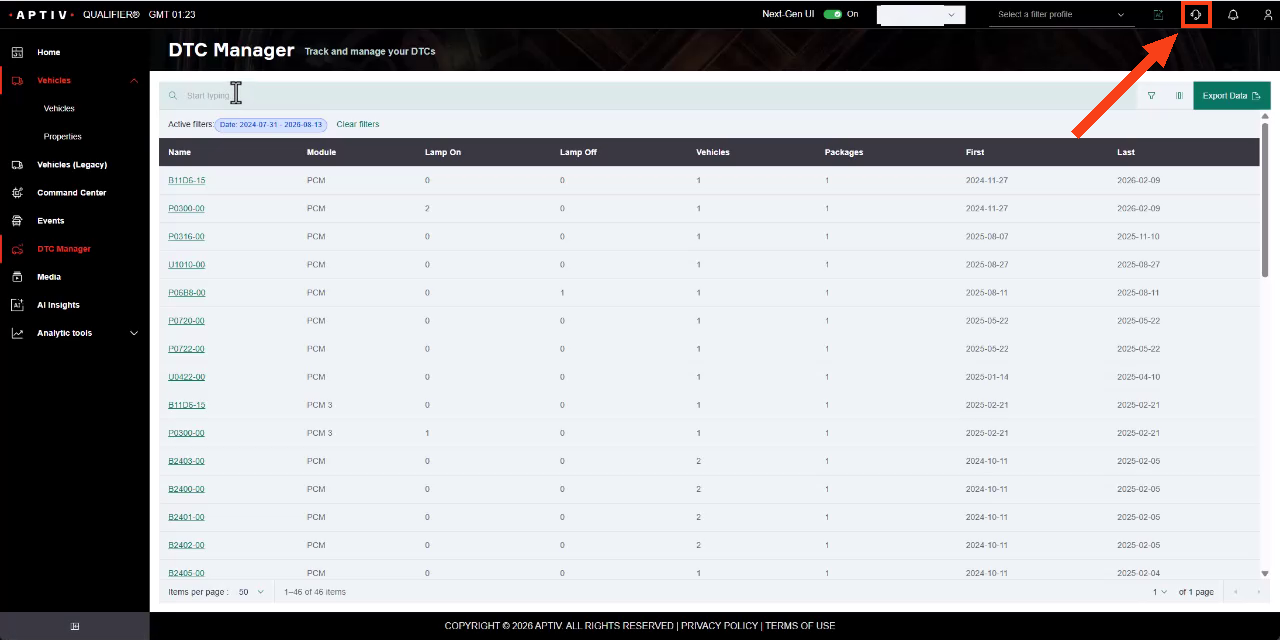
Click the support desk icon in the top right of any page. See Submit a support ticket for the full procedure.
Depending on how your organization has configured Qualifier, the support desk may not be available to you. If it is not, contact your Aptiv representative directly.
Fault finder
If you only need to identify a diagnostic trouble code (DTC), Fault finder in the Action Center is faster than raising a ticket. Search by code or by description.
The newsletter
The monthly Qualifier newsletter covers product updates, fixes, and practical tips. Recent issues appear on the Home page under Latest News, and the archive is under News.
To have it emailed to you, see Sign up for the newsletter.
Contact
For anything the support desk does not cover, contact your designated Aptiv
representative or email qualifier@aptivcs.com.
See Resources for briefs, data sheets, install guides, and the rest of the reference material.