View a summary of event occurrences
Use an event's Overview tab to assess its scope before examining individual occurrences. It summarizes how often the event fired, how many vehicles were involved, and which packages were affected.
For how issues and occurrences relate, see Events, issues, and occurrences.
-
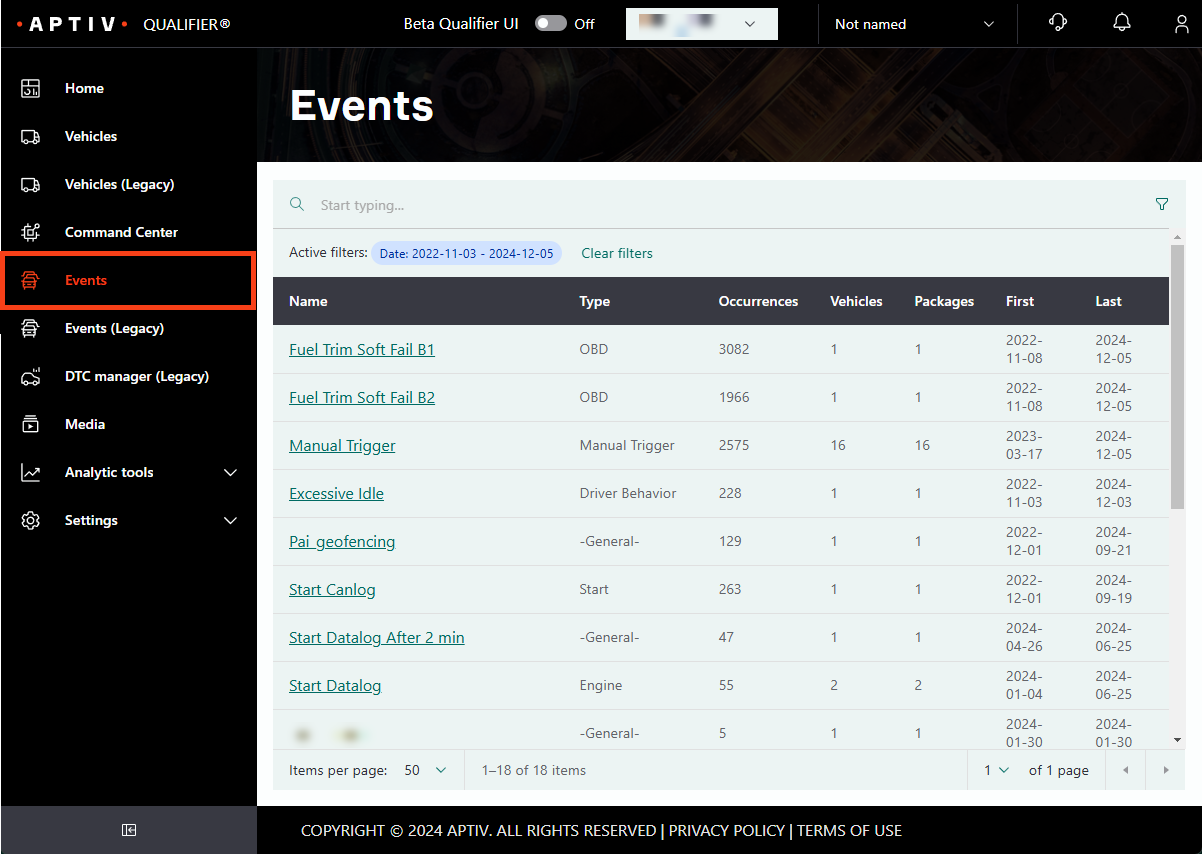
Click Events in the left navigation.
-
Click the event you want. Use the omnisearch bar to narrow by name or type if the list is long. The event opens on the Packages tab.
-
Click the Overview tab.
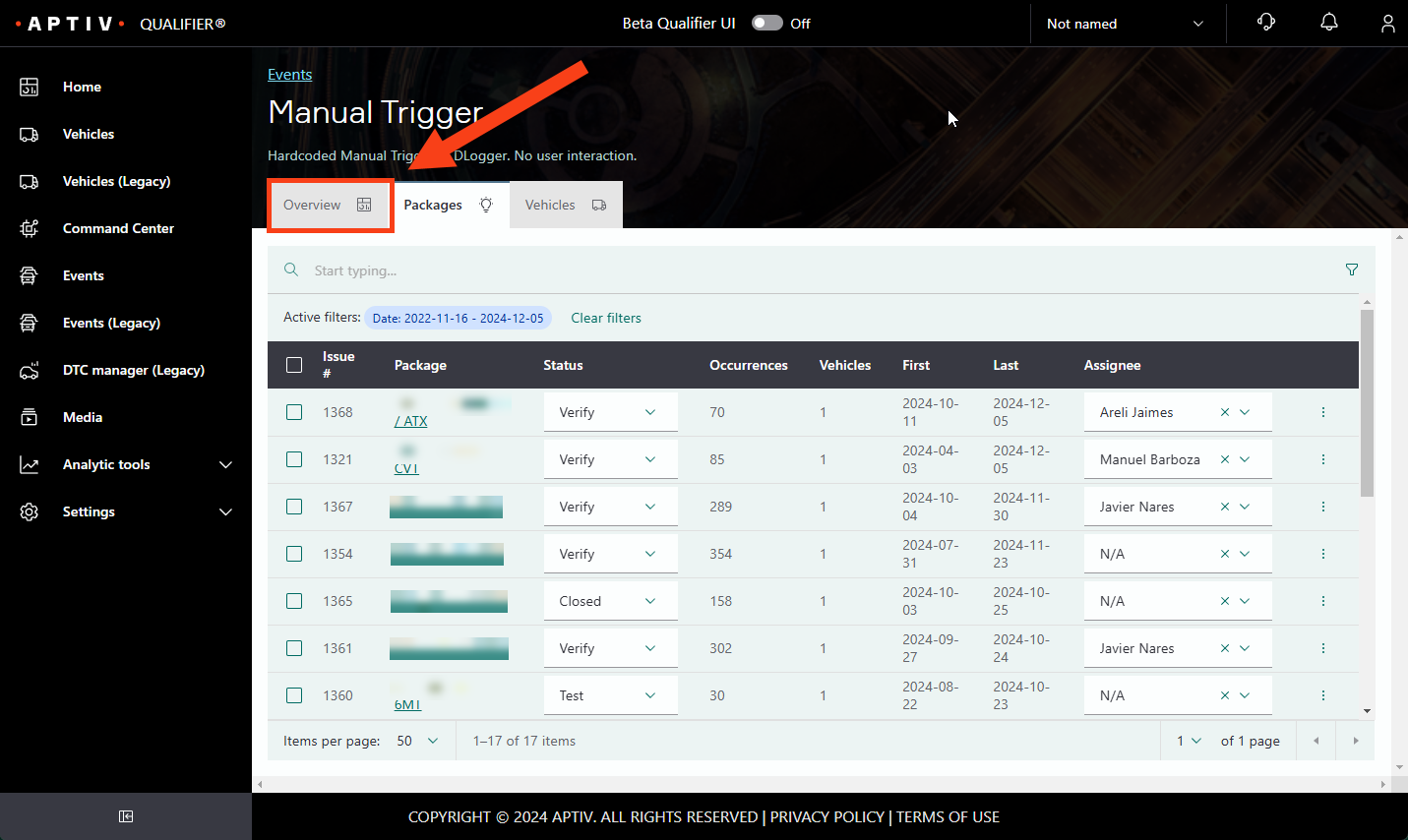
The Overview tab reports the total occurrences, vehicles triggered, and packages triggered, along with the most triggered package and the most recent one.
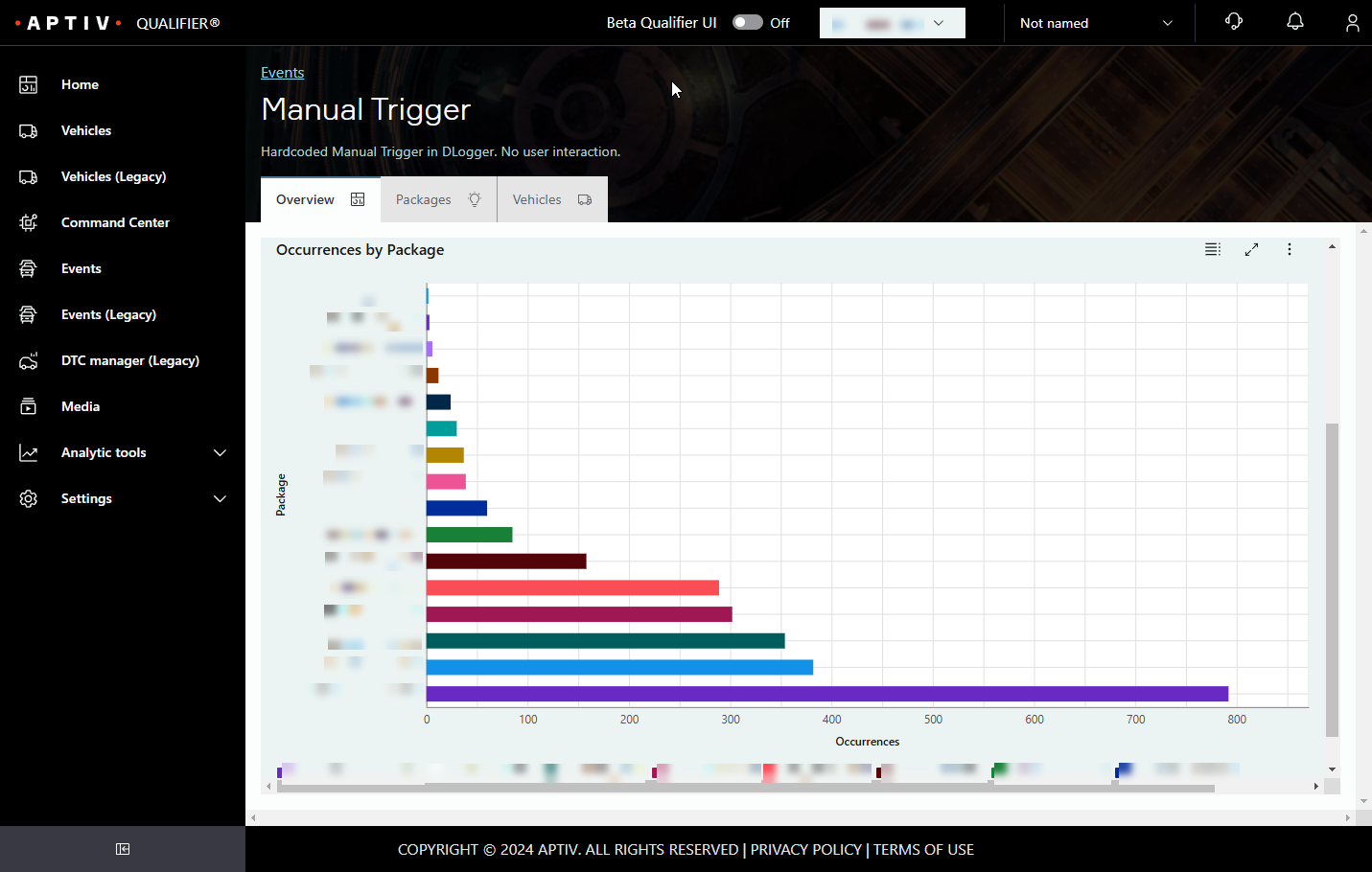
Click the table icon to see the chart as a table, which also gives you the option to download it as a CSV file.