Use global filter profiles
A Qualifier organization may contain years of vehicle, event, and diagnostic trouble code (DTC) data. A global filter profile keeps the portion relevant to your work in view across the application, without requiring you to rebuild the same filters on every page.
Profiles are especially useful when you regularly work with one fleet, one engine type across fleets, or a particular body style.
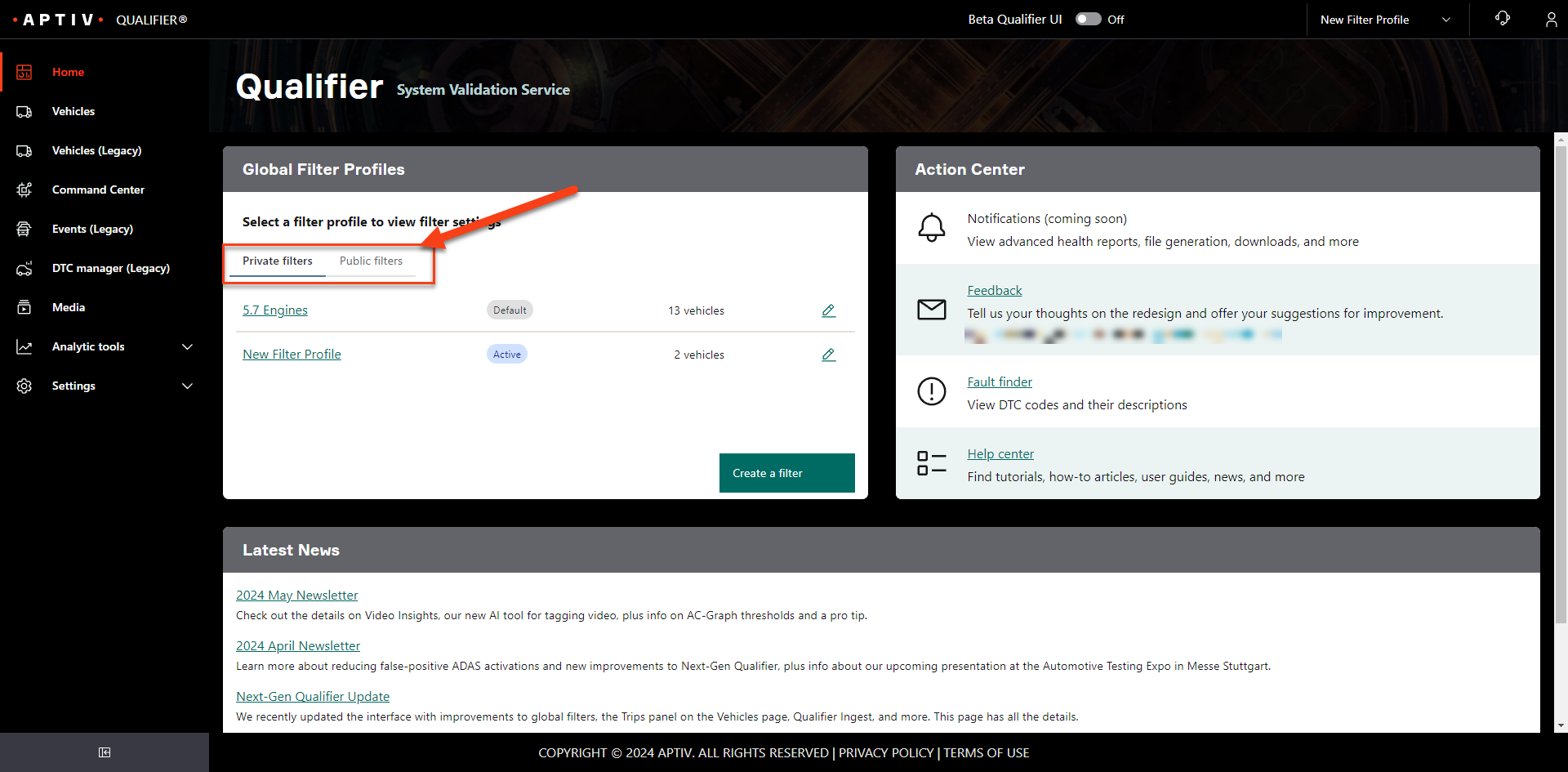
Public and private profiles
| Type | Who can see it |
|---|---|
| Private | Only you. Only you can view, apply, or edit it |
| Public | Everyone in your organization, and nobody outside it. Anyone in your organization can create or edit one |
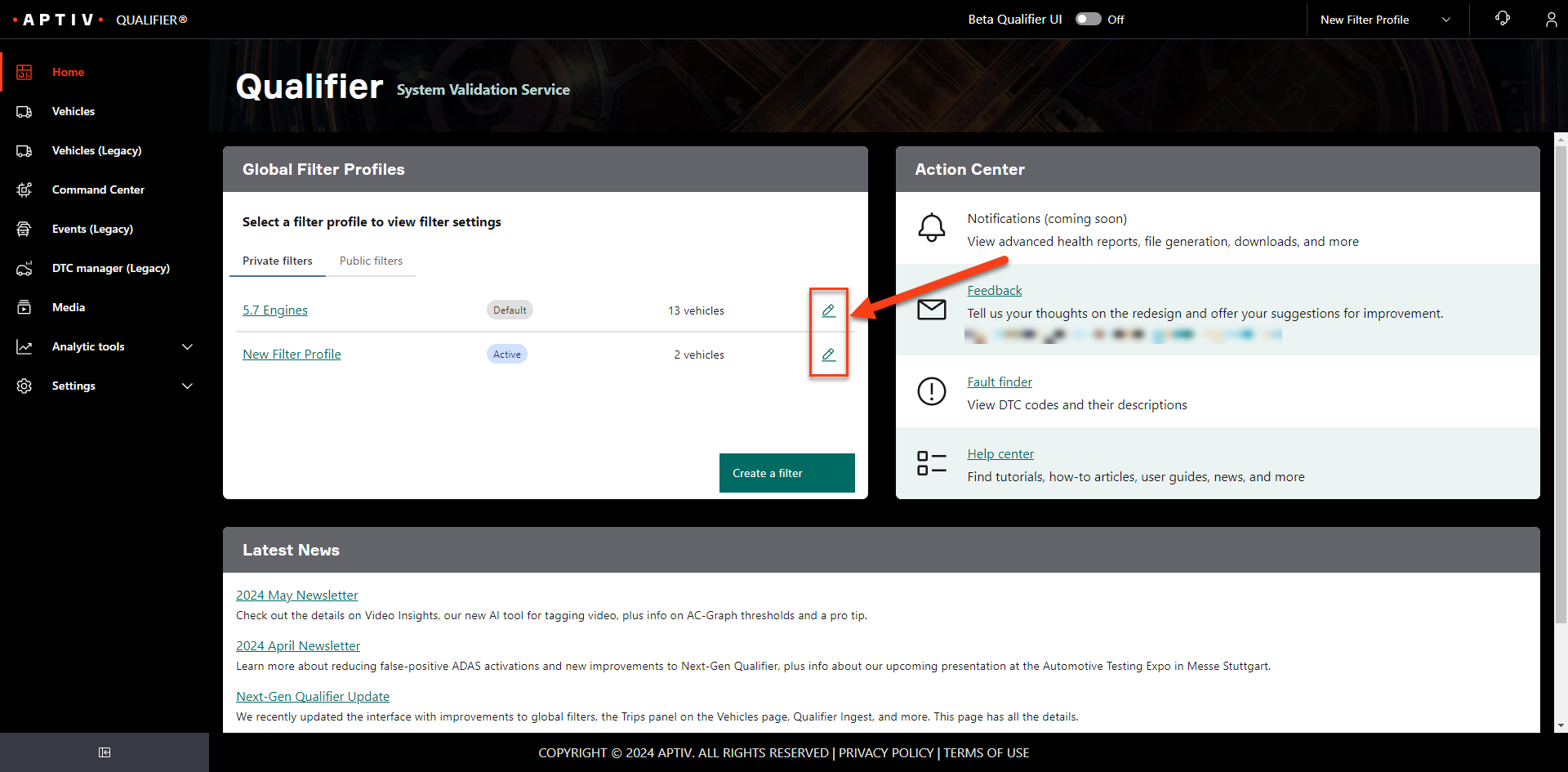
The Home page tabs between the two.
Apply a profile
Select it from the filter profile list in the top bar.
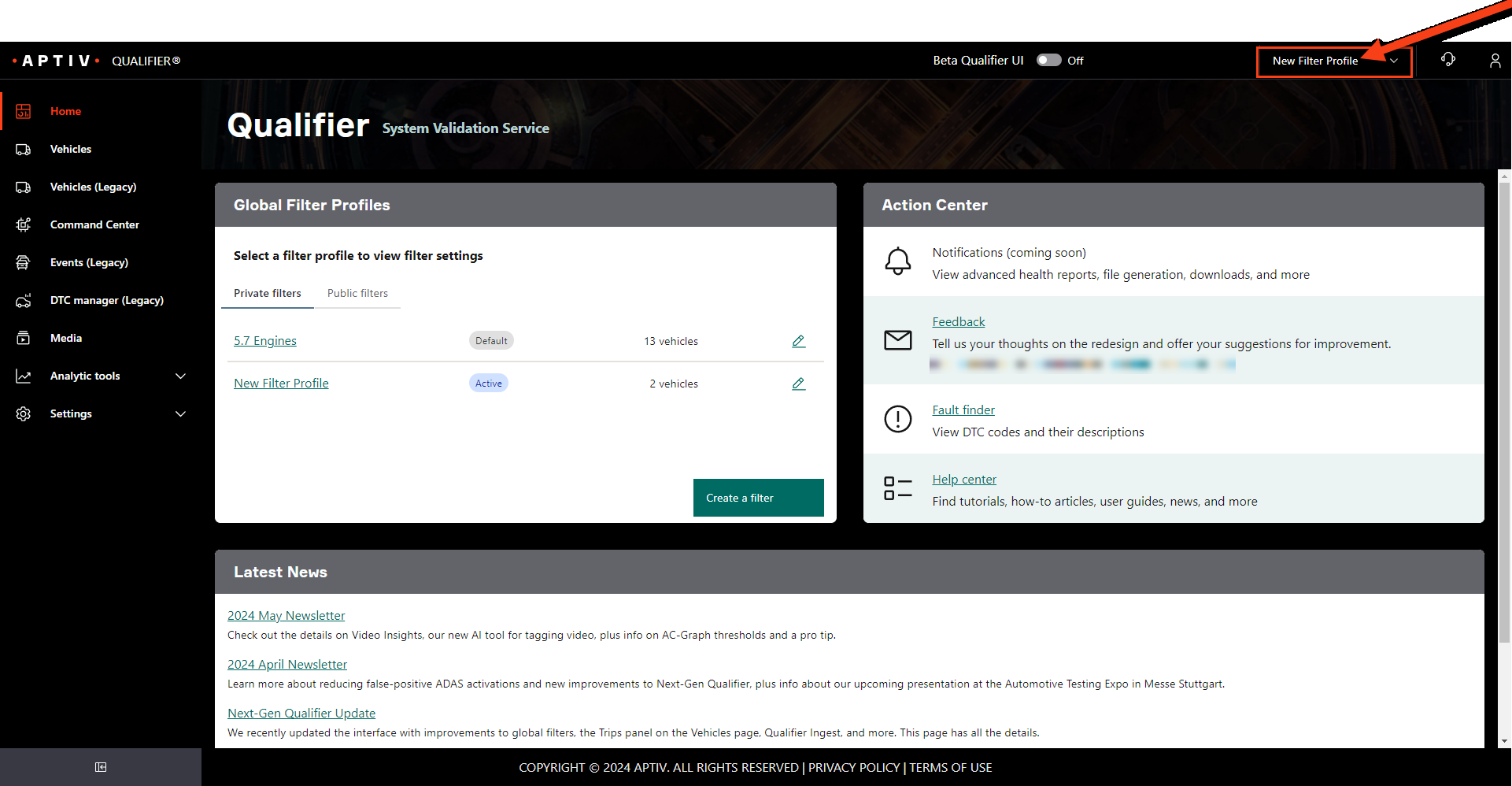
A global filter applies everywhere. If you are looking for data you are certain exists and cannot find it, check your filter profile before anything else. A profile that is too narrow is the most common reason data appears to be missing.
Create a profile
-
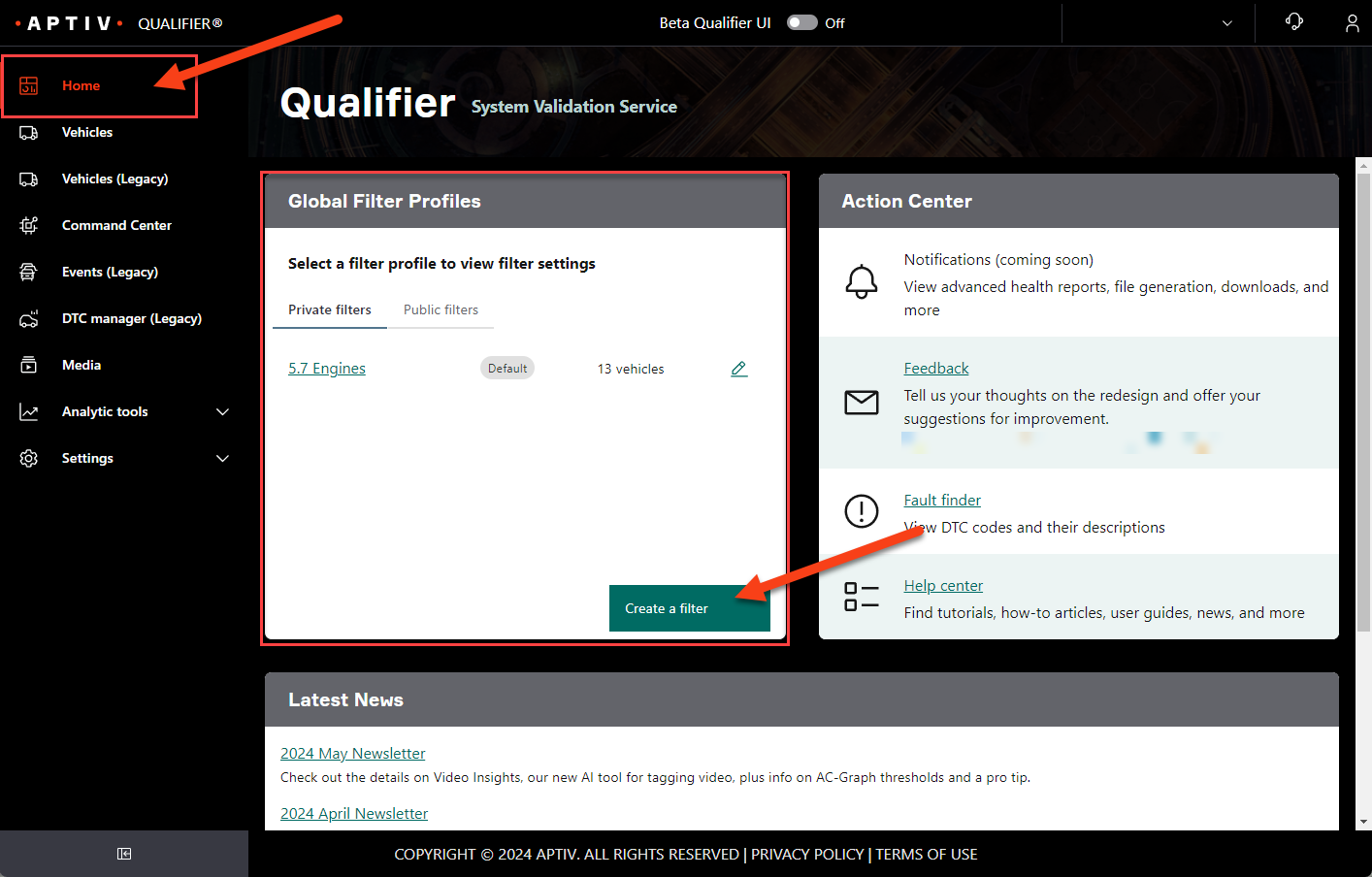
Go to the Home page.
-
Click Create a filter.
-
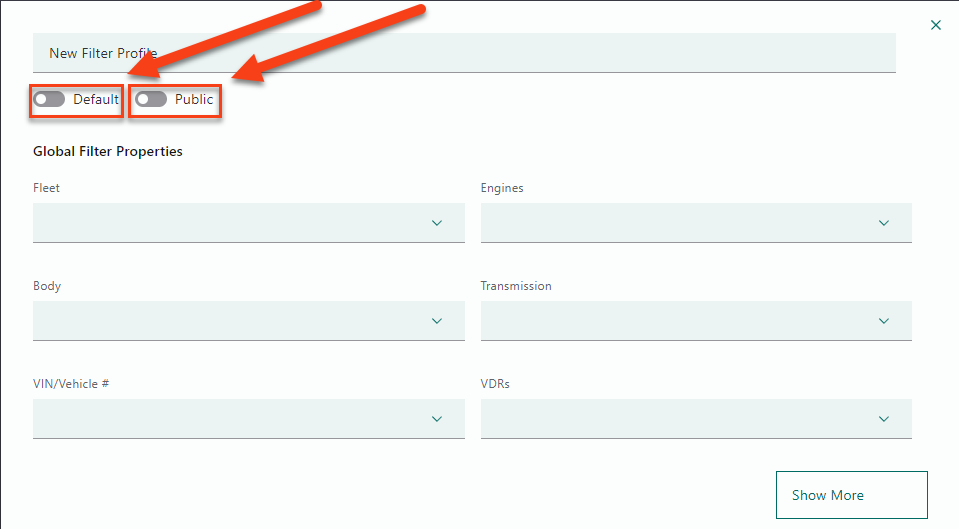
Enter a name at the top.
-
Decide whether this should be your default profile, and whether it should be public. Profiles are private unless you say otherwise.
-
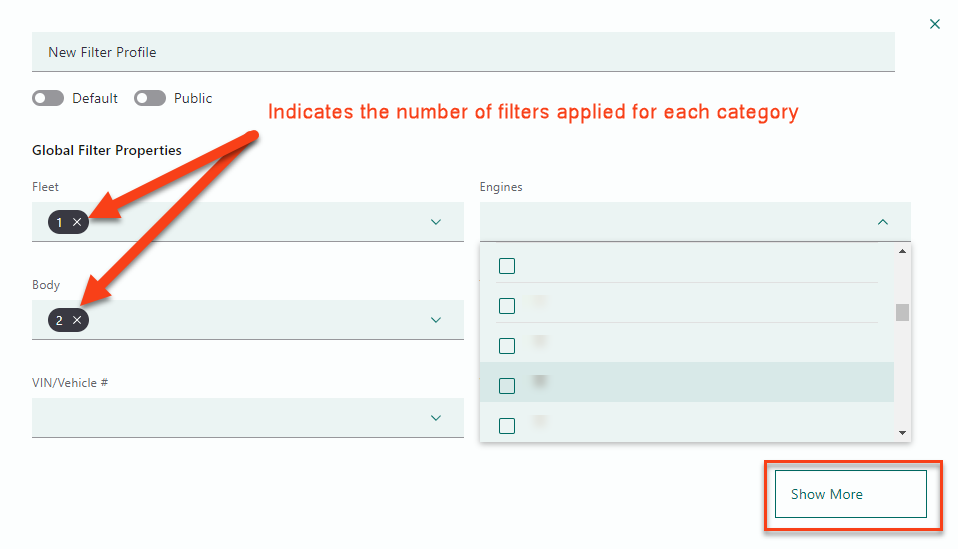
Choose your filter properties from the lists. Click Show More for the full set.
-
Click Save as New Profile.
Creating a profile does not apply it. Click Apply filter settings, or pick it from the top bar, to start using it.
Edit a profile
-
Go to the Home page.
-
Find the profile under Private filters or Public filters and click the pencil icon.
-
Make your changes and save.
Filter further on a page
A global profile establishes the starting data set. You can still add narrower filters on an individual page.
-
Go to the page, for example Vehicles.
Note what global profile is already applied. To filter across your whole data set instead, set your profile to (none).
-
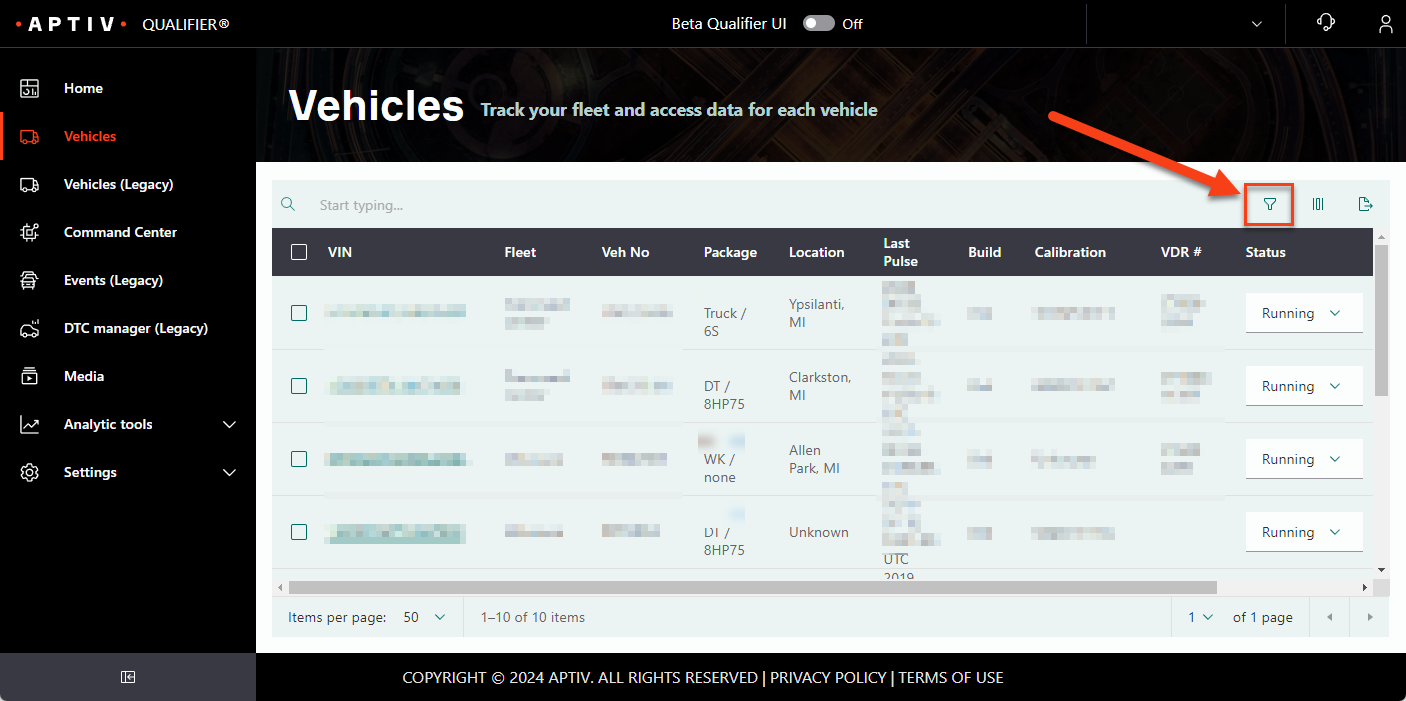
Click the filter icon.
-
Choose your filters. They apply as you select them.
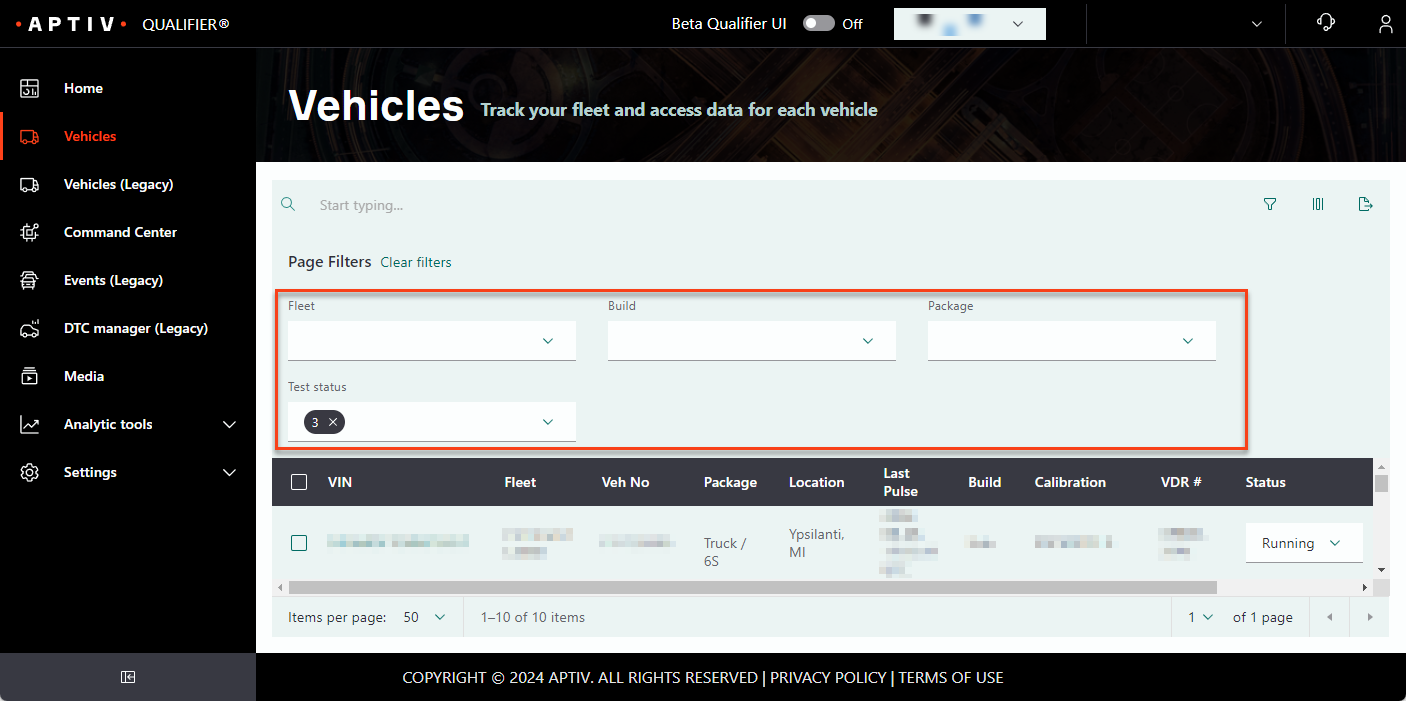
Clear filters removes the filters you set on that page. It does not touch your global profile.