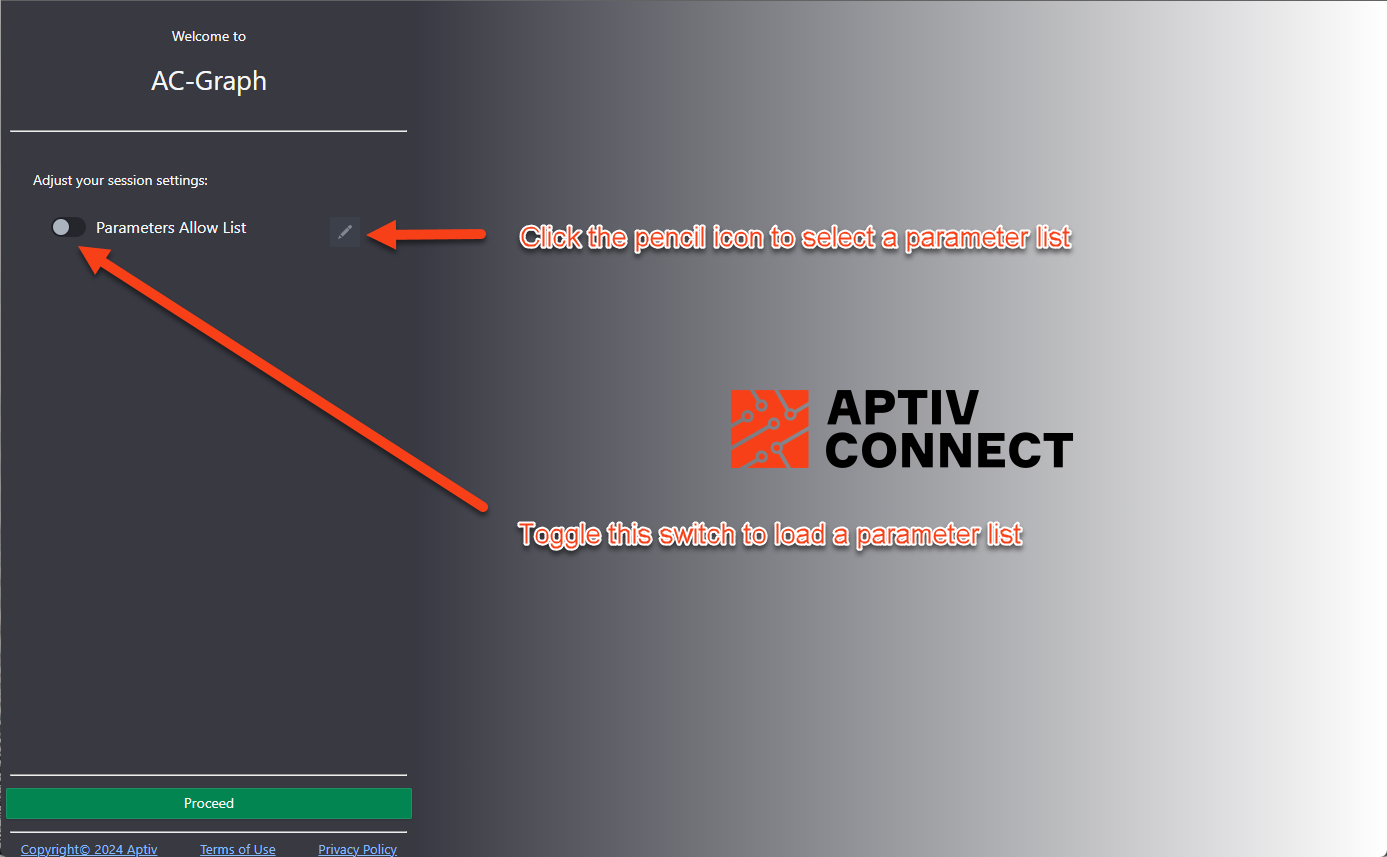
Load a parameter filter by default in AC-Graph
Configure the startup splash page when you want AC-Graph to ask which saved parameter filter to load. Beginning with a focused subset improves startup performance and keeps the signals you use close at hand.
First, create at least one filter. See Create custom parameter filters.
-
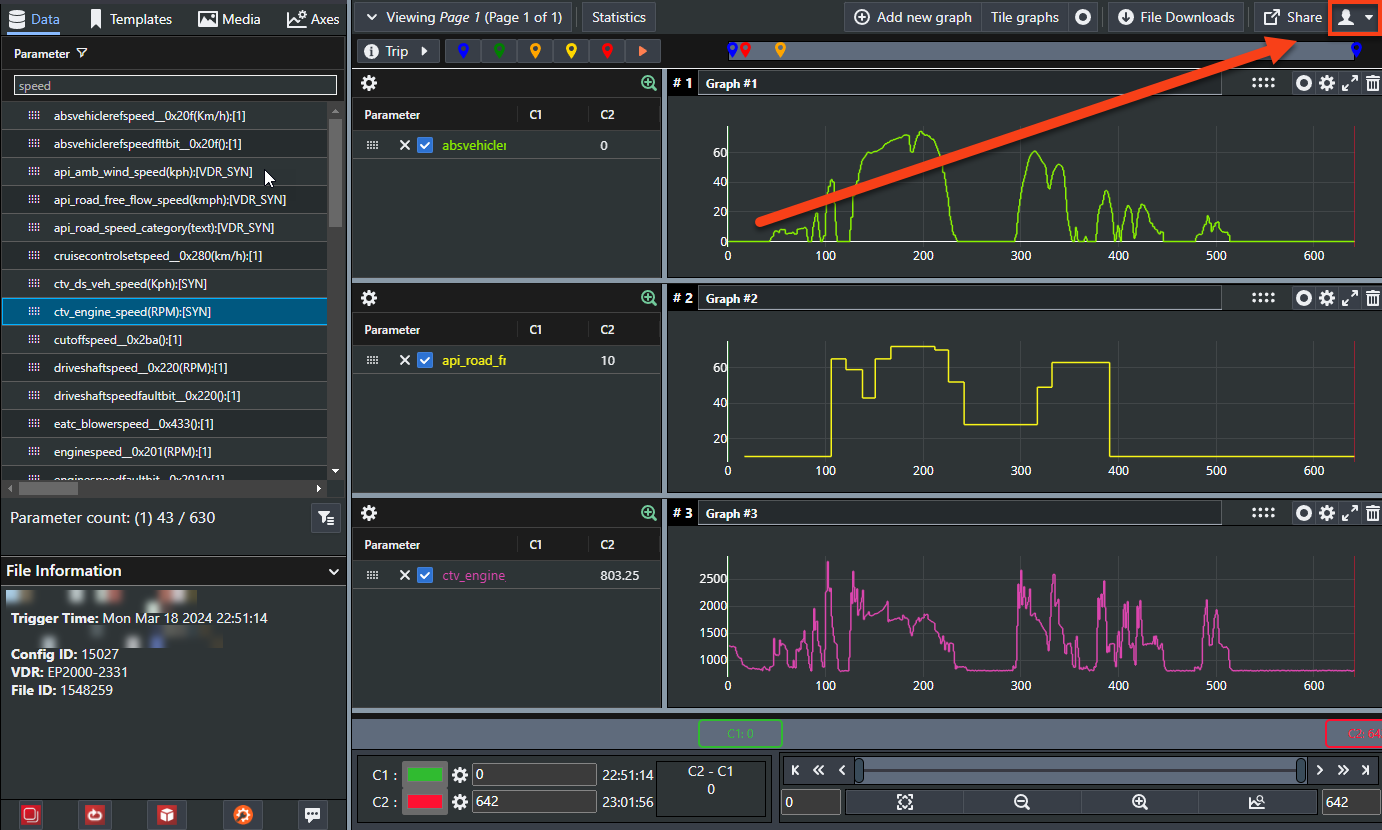
Click the person icon in the top right of the page.
-
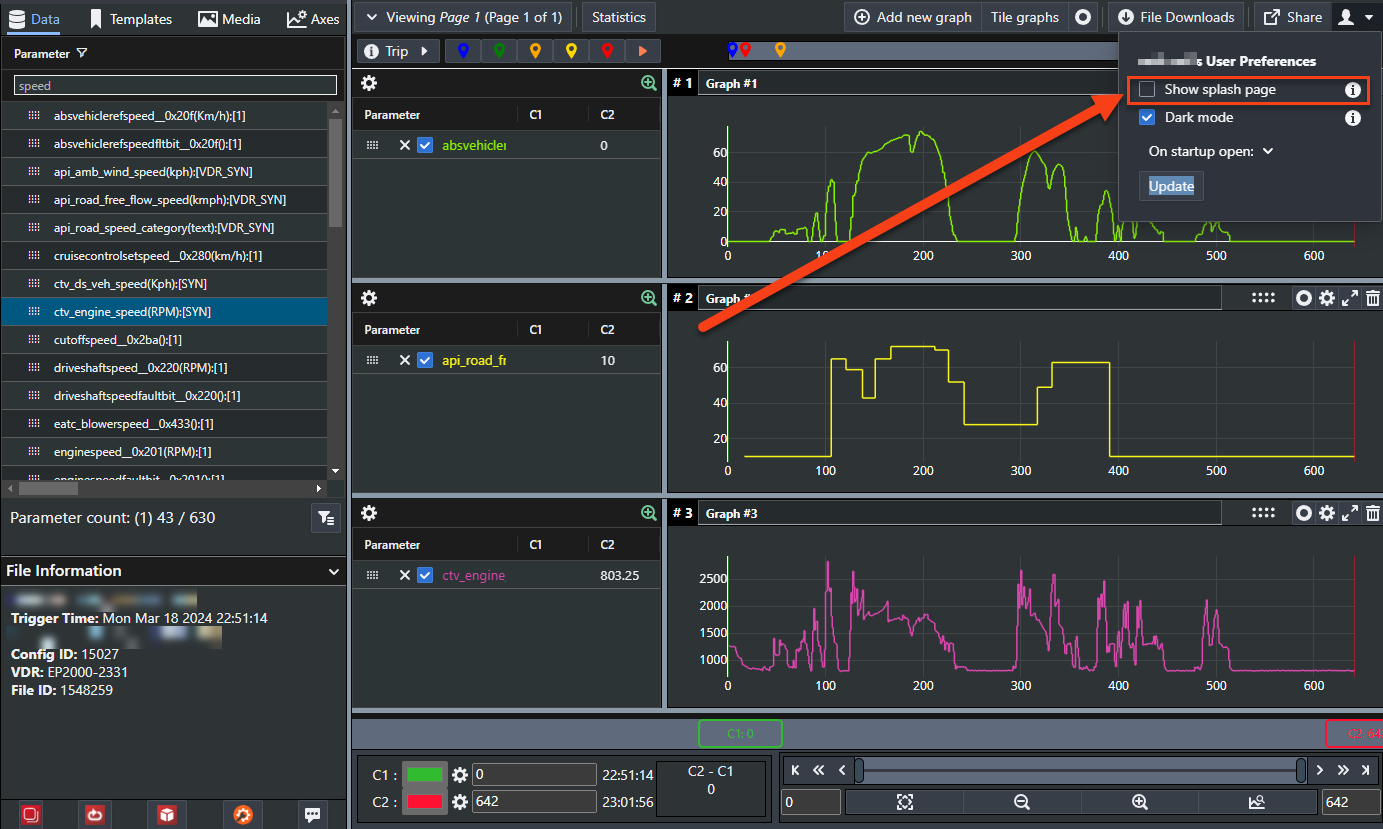
Select the Show splash page check box.
-
Click Update.
The next time you open AC-Graph, it presents your saved lists and you choose which one to load.