Open event files in AC-Graph
You can reach an event occurrence file from three places in Qualifier. Choose the route that matches the information you already have; each one opens the same file in AC-Graph.
For how events, issues, and occurrences relate to each other, see Events, issues, and occurrences.
From the Events page, by package
-
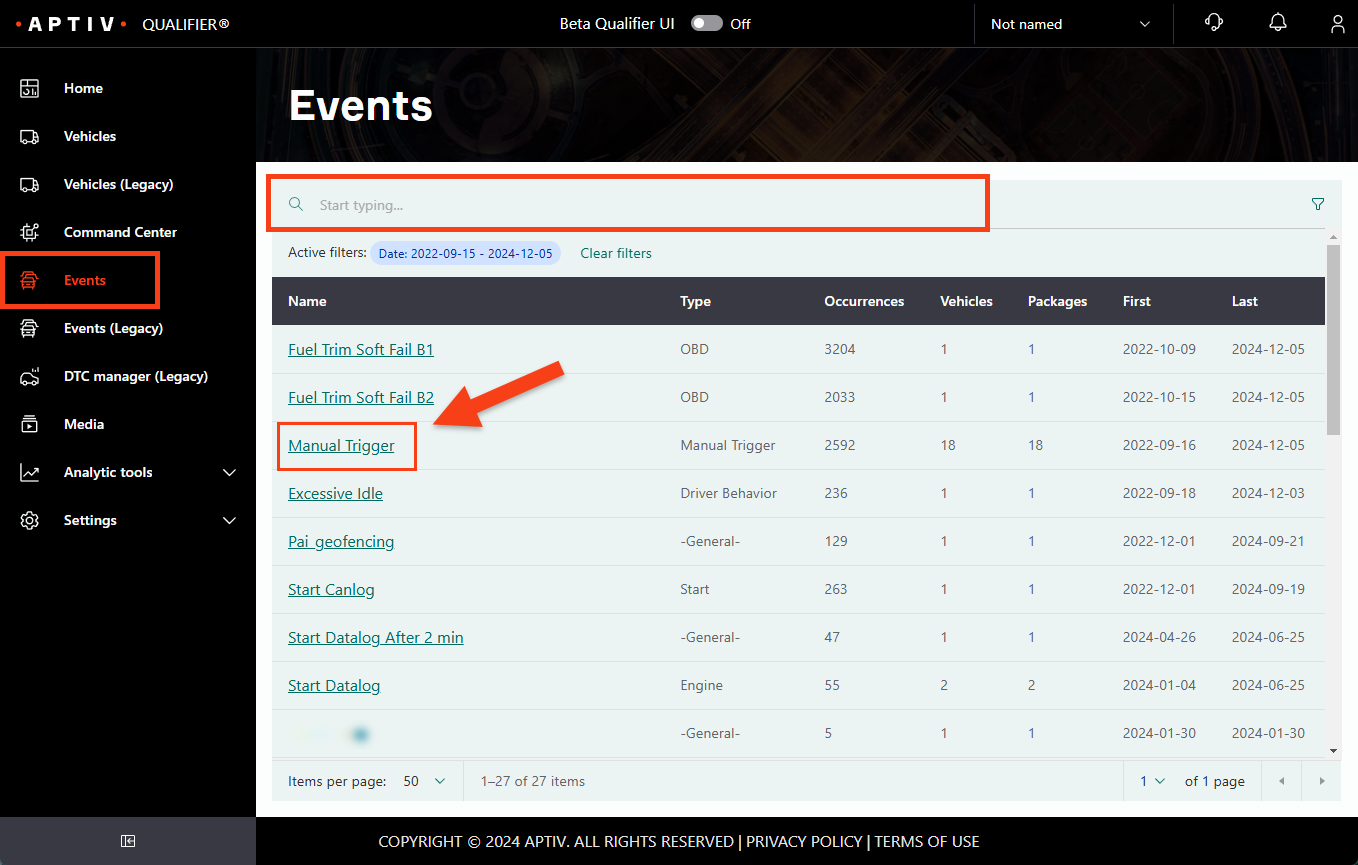
Click Events in the left navigation.
-
Use the omnisearch bar to find the event by name or type.
A global filter profile narrows the list first.
-
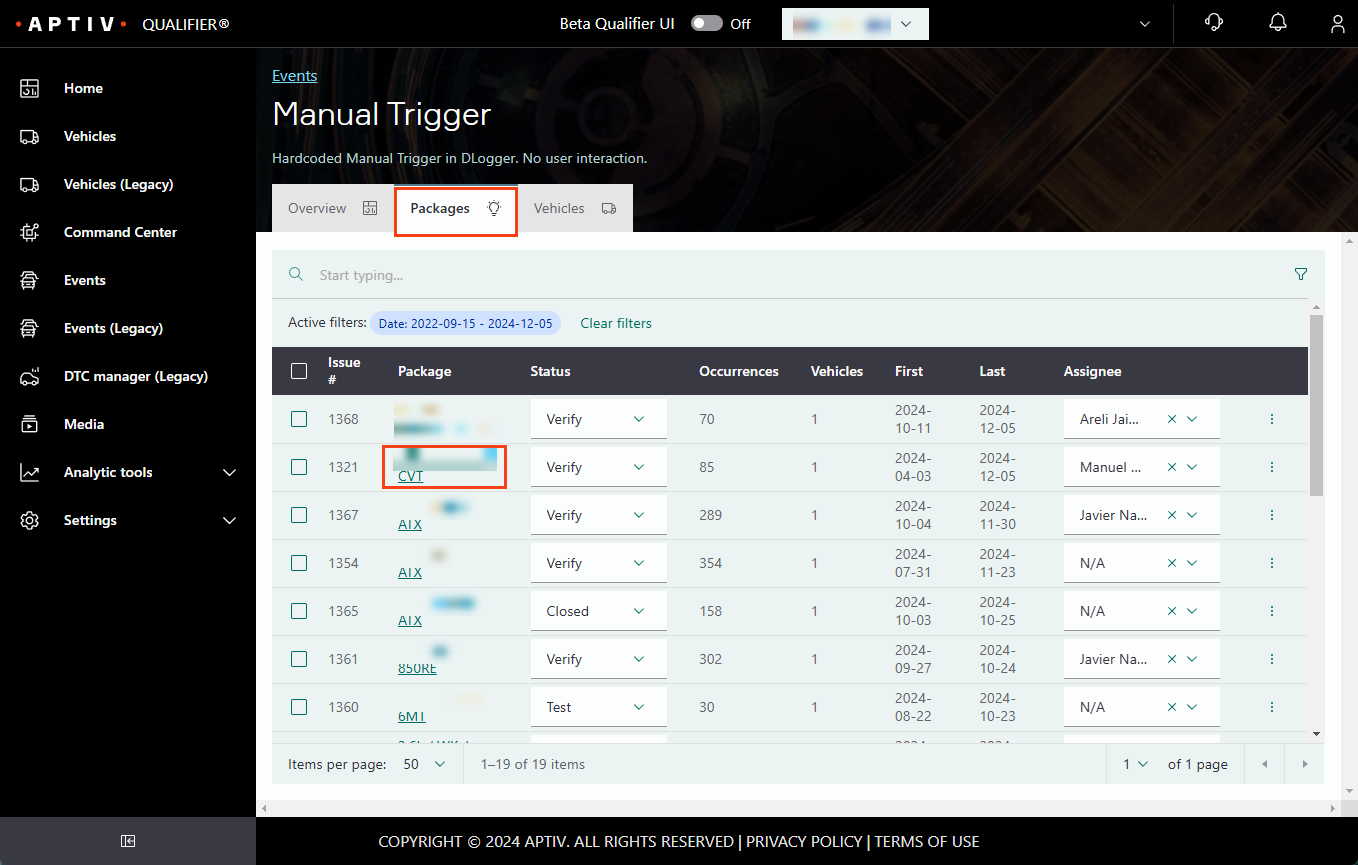
Click an event name to open it on the Packages tab.
-
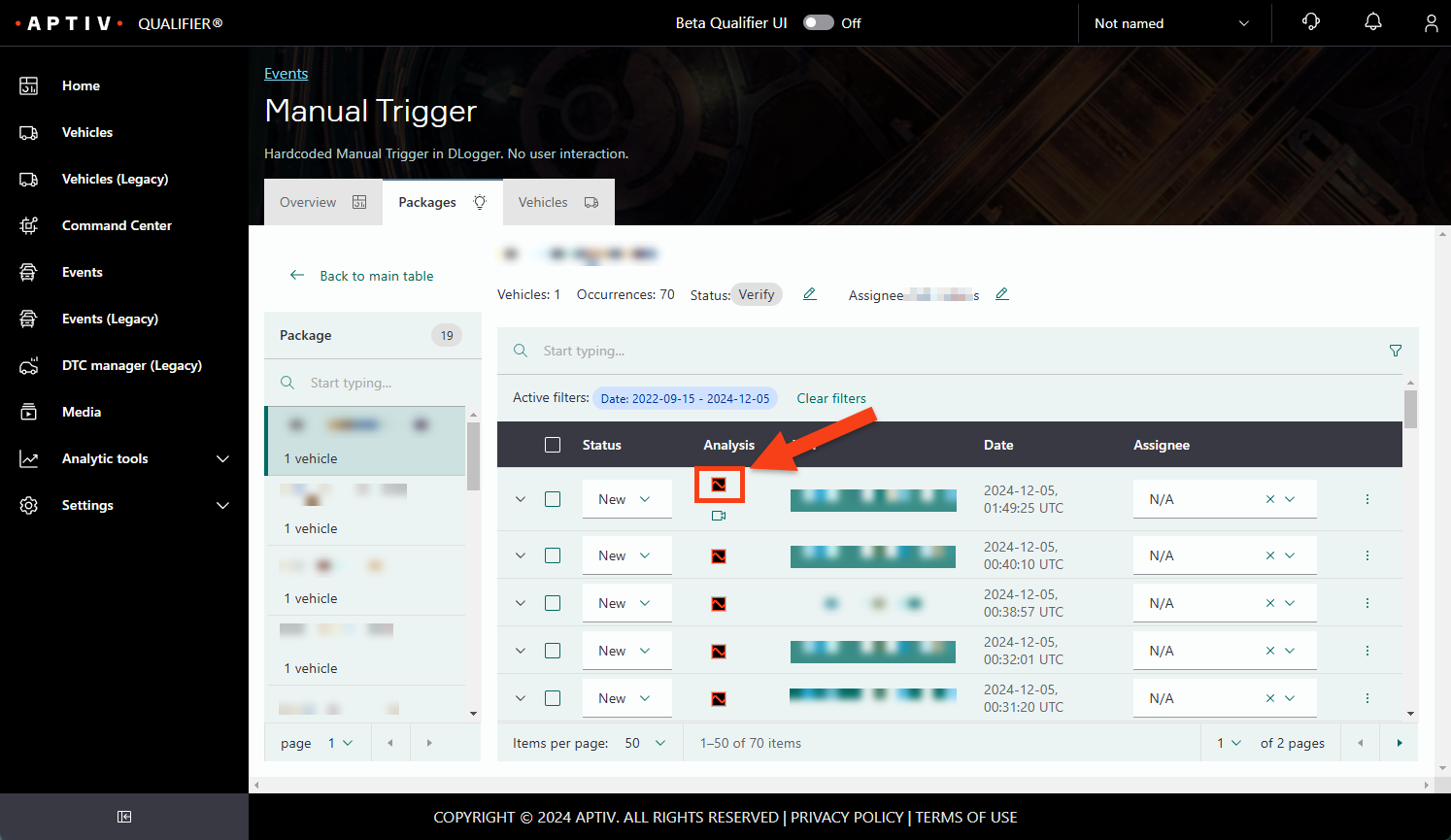
Click a package to list its occurrences.
-
Click the AC-Graph icon on the occurrence you want.
From the Events page, by vehicle
-
Click Events in the left navigation.
-
Find the event with the omnisearch bar and click its name.
-
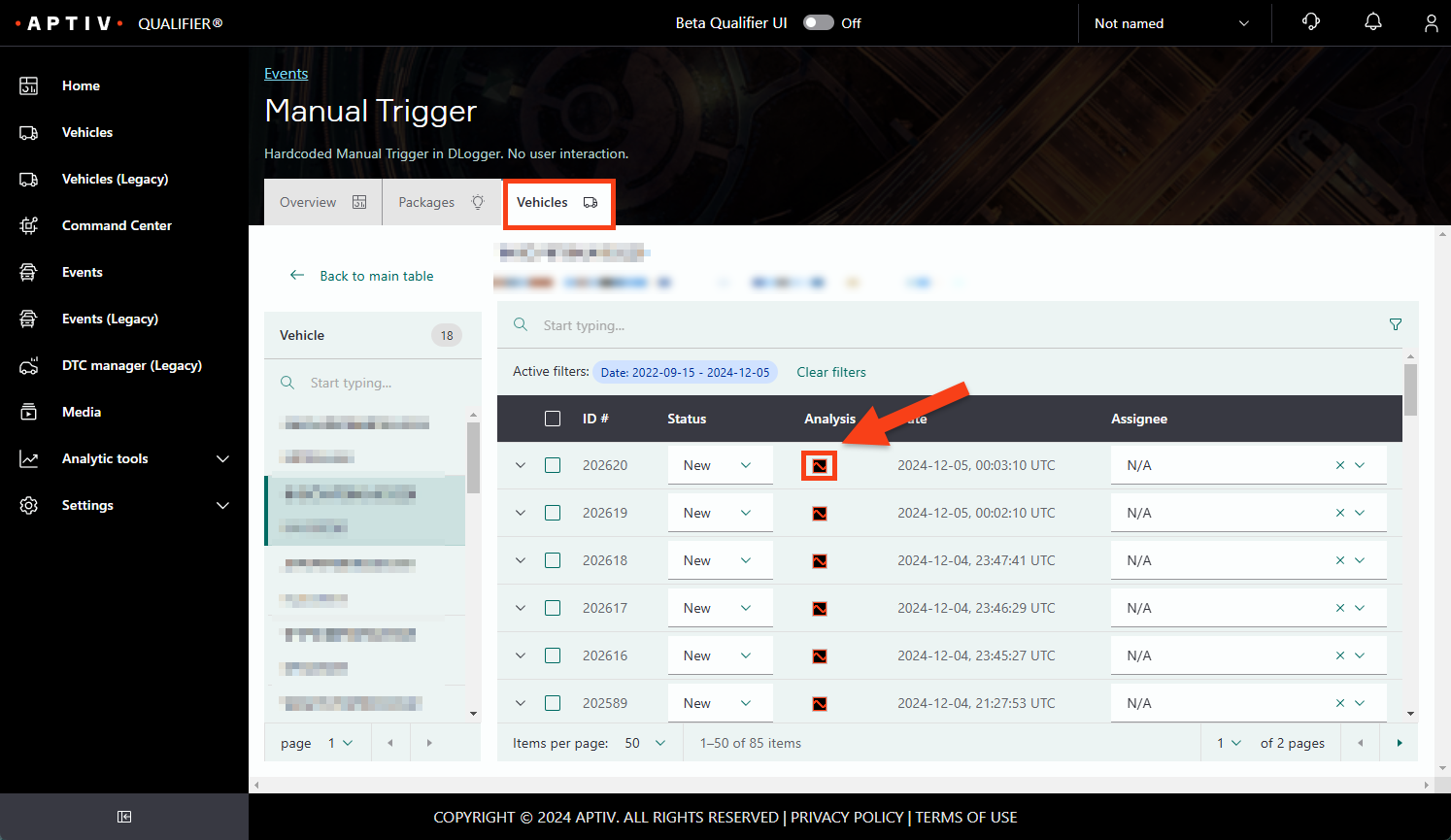
Click the Vehicles tab.
-
Click the VIN you want, narrowing with omnisearch if the list is long.
-
Click the AC-Graph icon on the occurrence you want.
From a vehicle
-
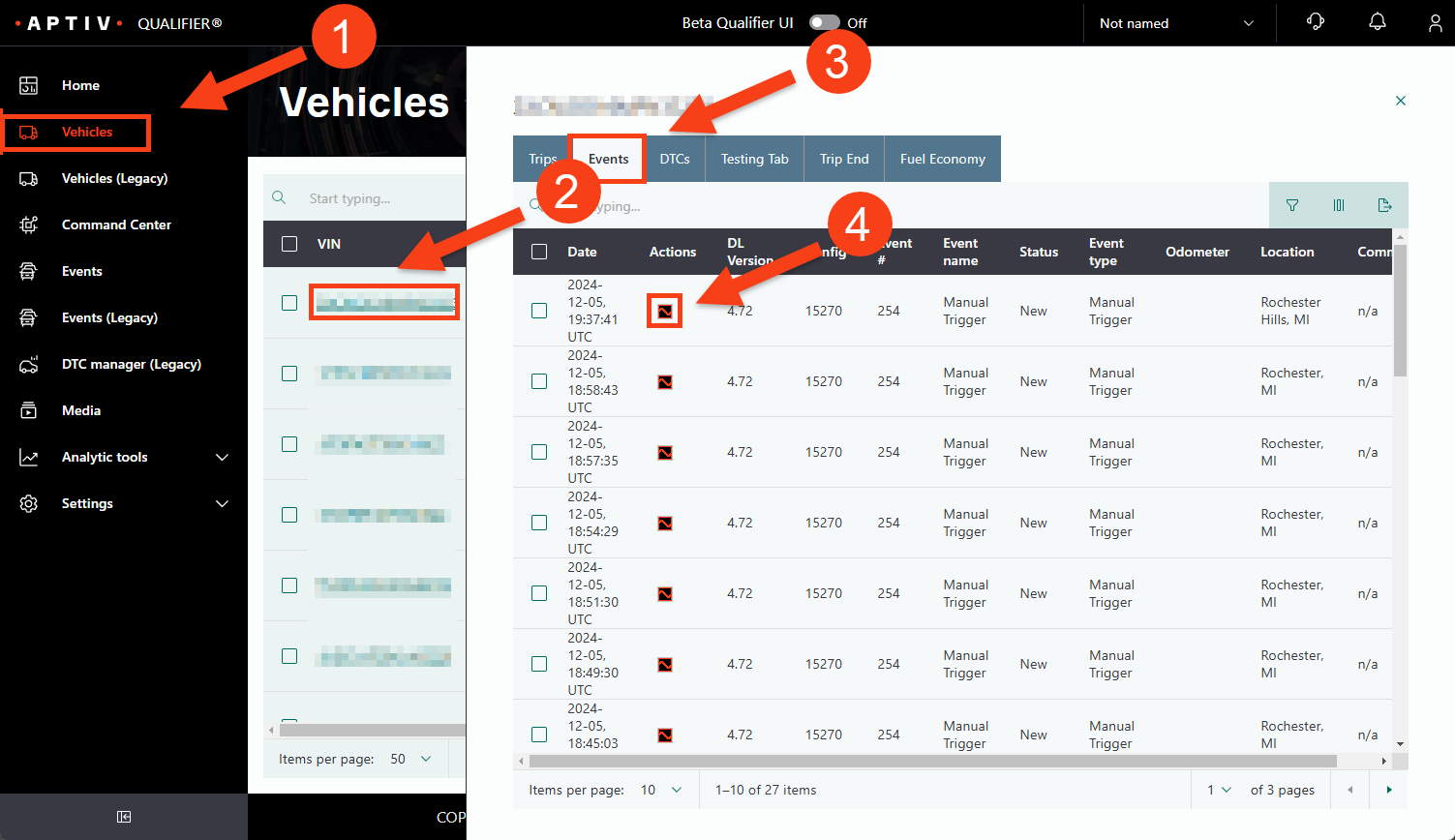
Click Vehicles in the left navigation.
-
Click the VIN you want.
-
Click the Events tab.
-
Click the AC-Graph link on the event file you want.
Events and Vehicles both open with a date filter already applied, covering roughly the last two weeks. See Set the date range.