Filter by status
Filter by status to separate open work from records that have already been reviewed. Events offer both issue and occurrence status, while Vehicles uses test status.
For how issue status and occurrence status differ, see Events, issues, and occurrences.
Filter events by status
-
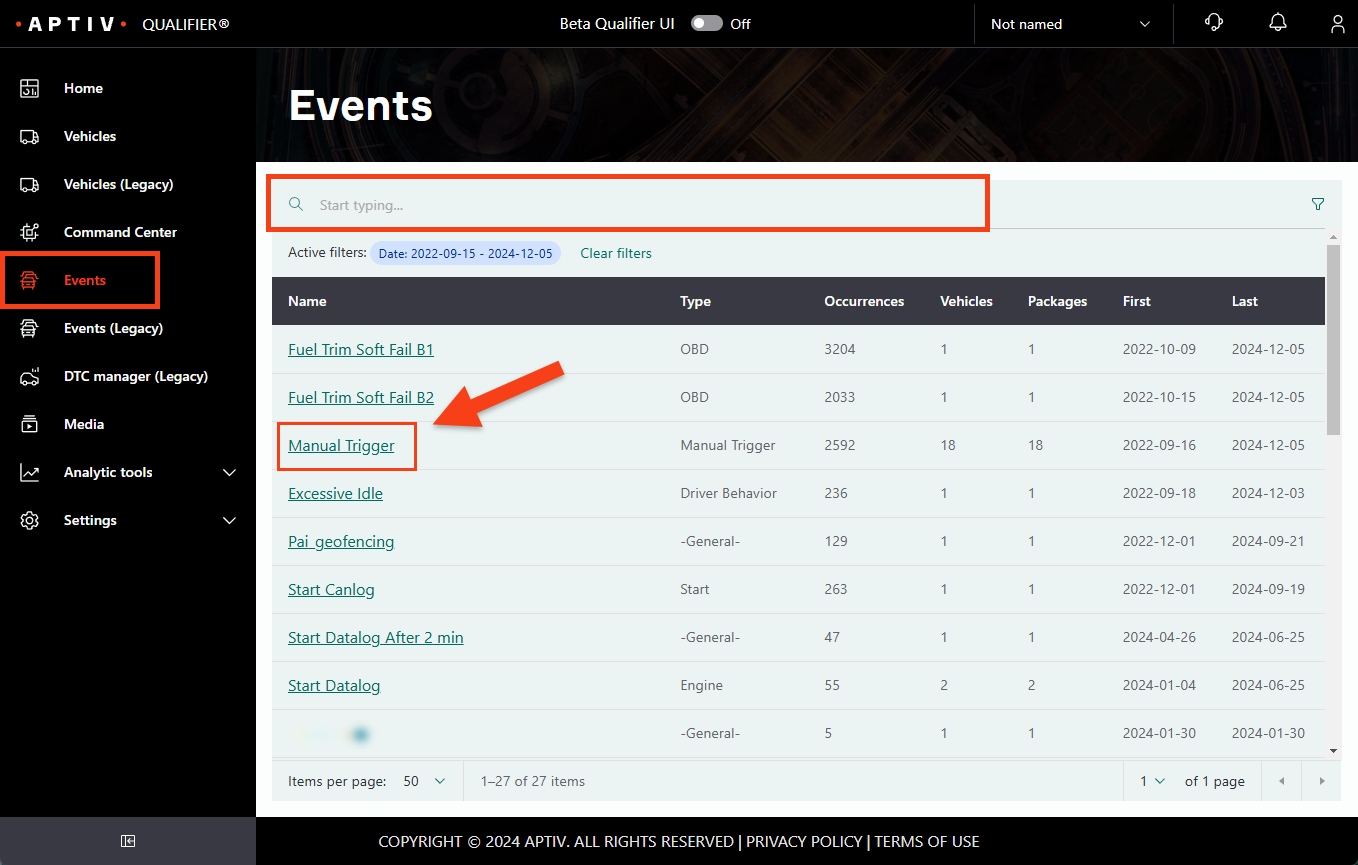
Click Events in the left navigation.
-
Click an event name, using the omnisearch bar to narrow by name or type if you need to. This opens the Packages view.
-
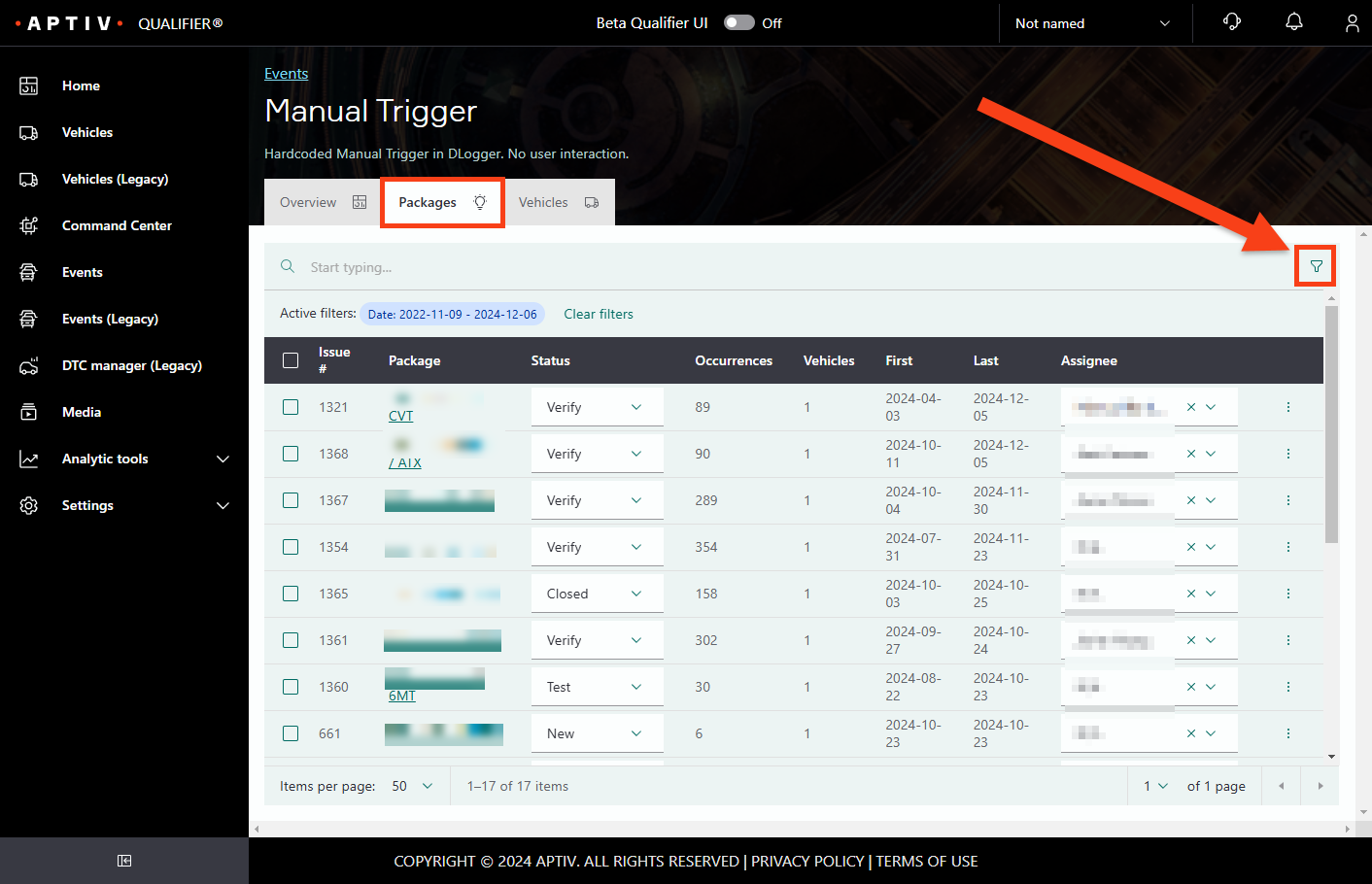
Click the filter icon.
-
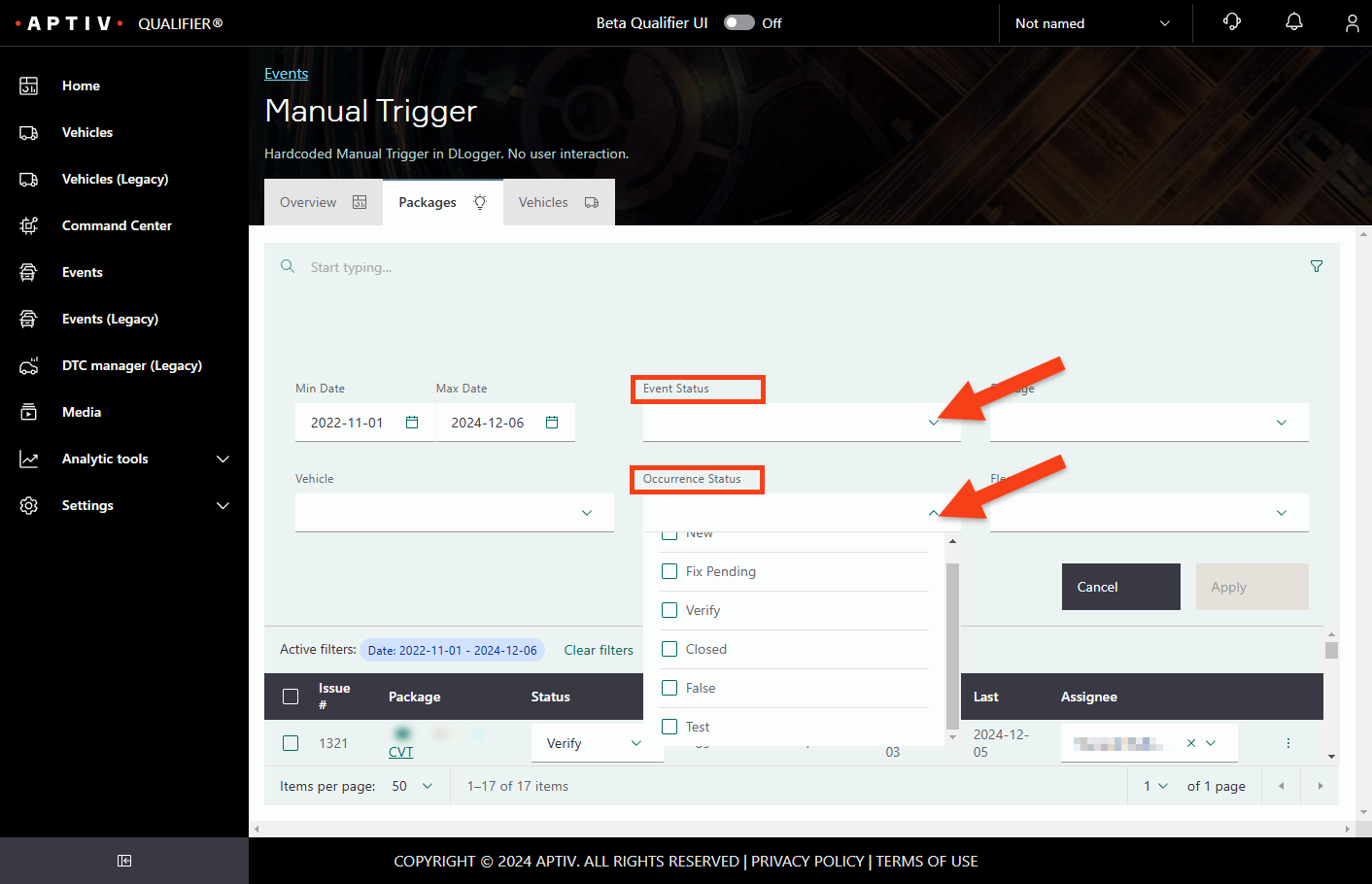
Select the Event Status and Occurrence Status values you want.
-
Click Apply.
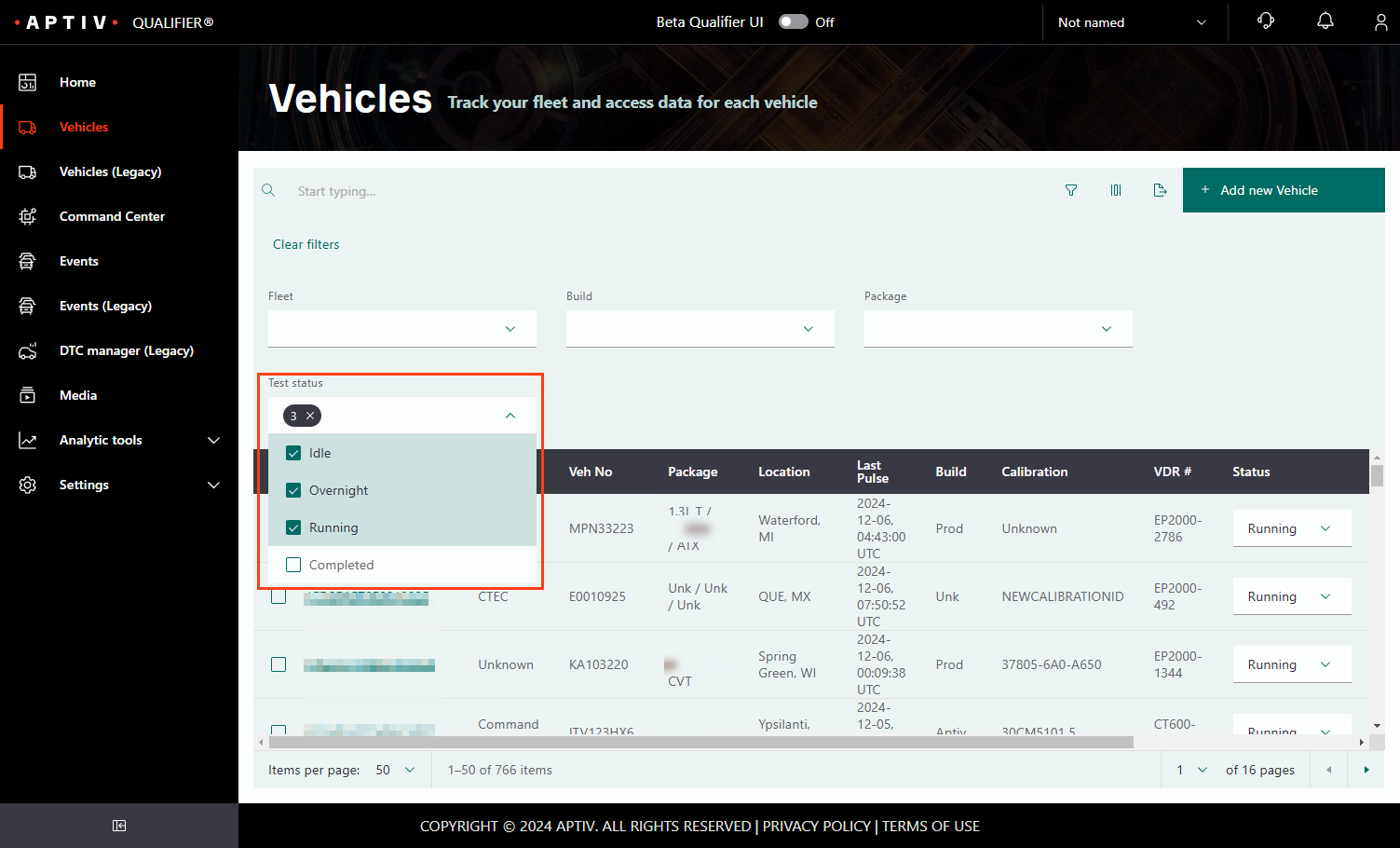
Filter vehicles by test status
-
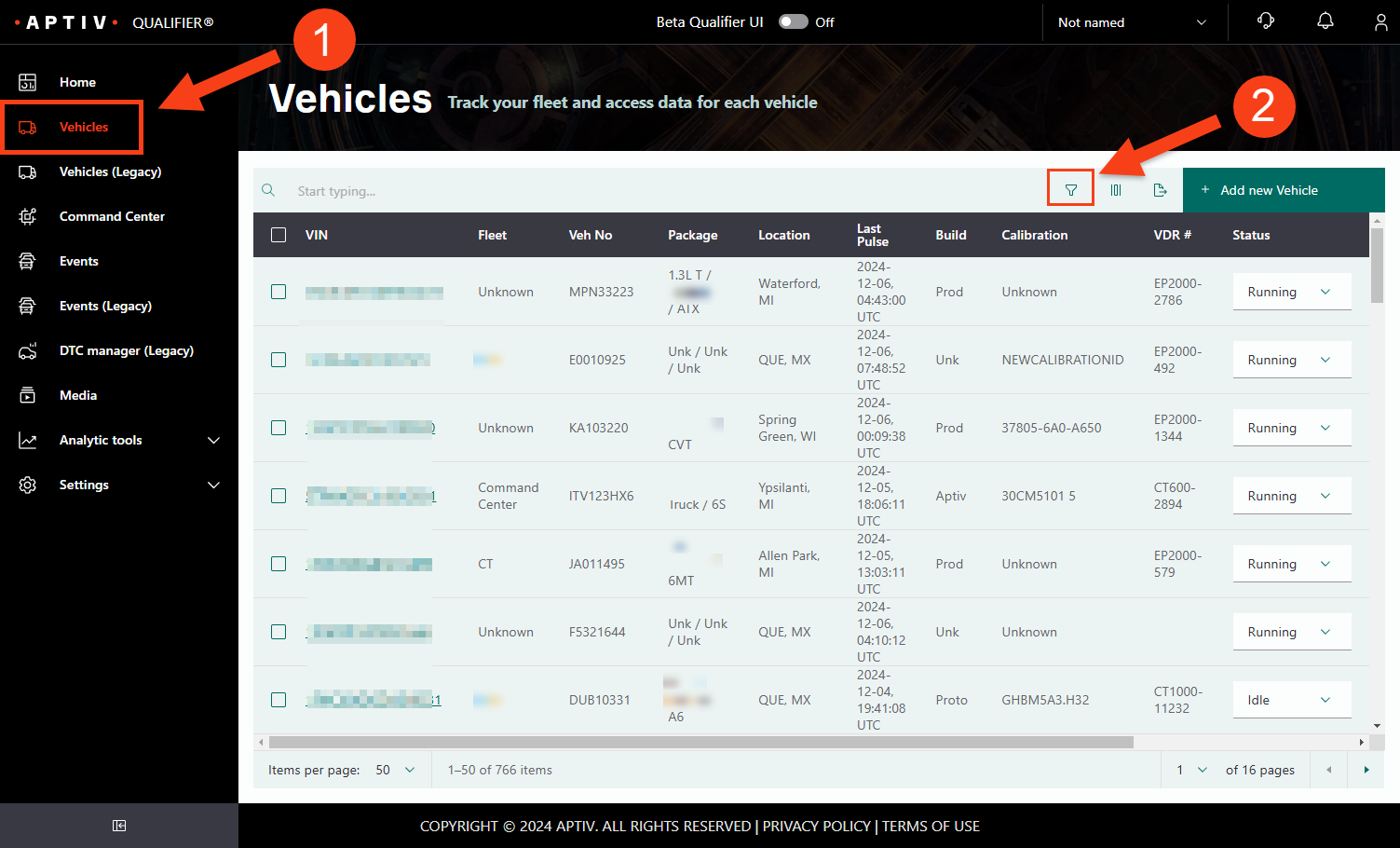
Click Vehicles in the left navigation.
-
Click the filter icon.
-
Select the Test Status values you want.
-
Click Apply.