Create a template in AC-Graph
Save a template when you want to repeat the same graph layout with other files. AC-Graph remembers the selected signals, their placement, and the associated axis settings.
For example, an overheating investigation may always compare engine speed, coolant temperature, intake temperature, and oil temperature. Arrange that view once and reuse it against each trip you examine.
-
Build the graphs and arrange them the way you want them. See Create a basic graph.
-
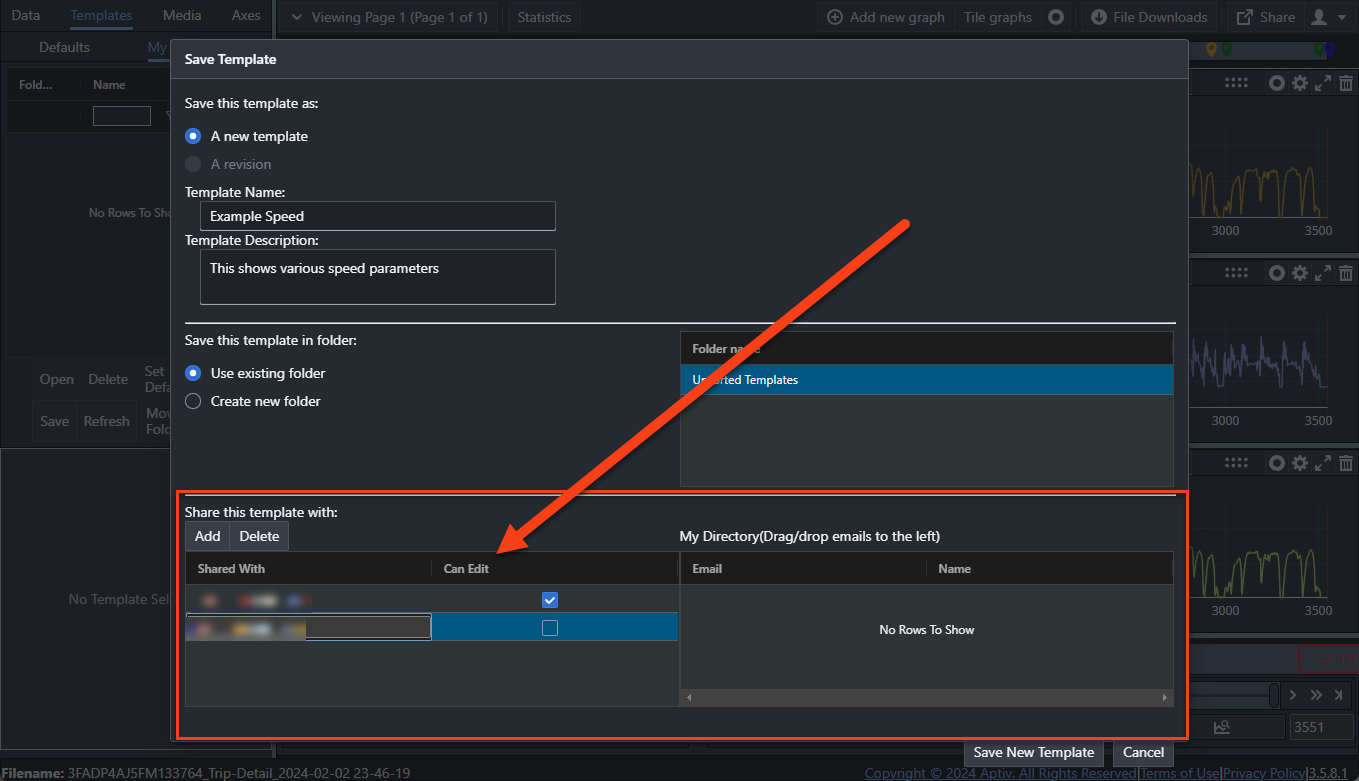
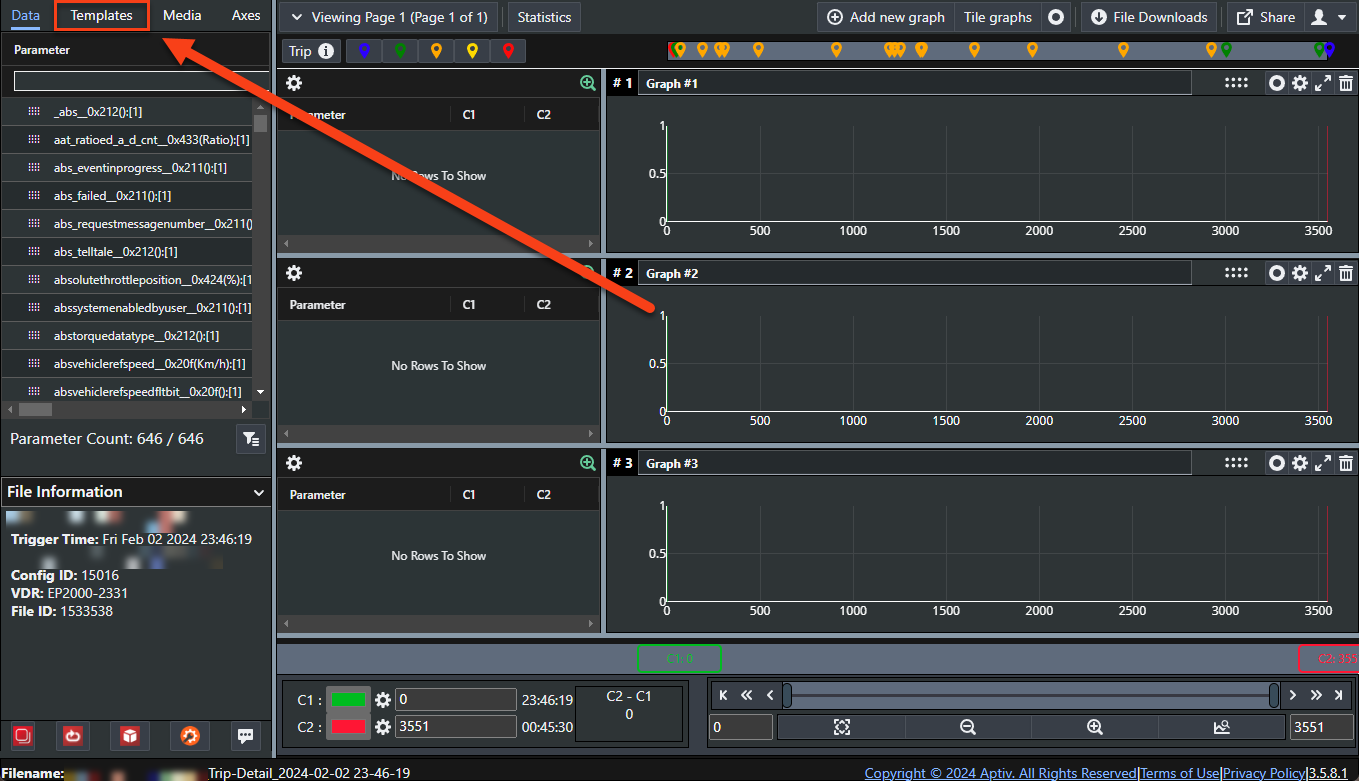
Click the Templates tab at the top of the left panel.
-
Click Save.
-
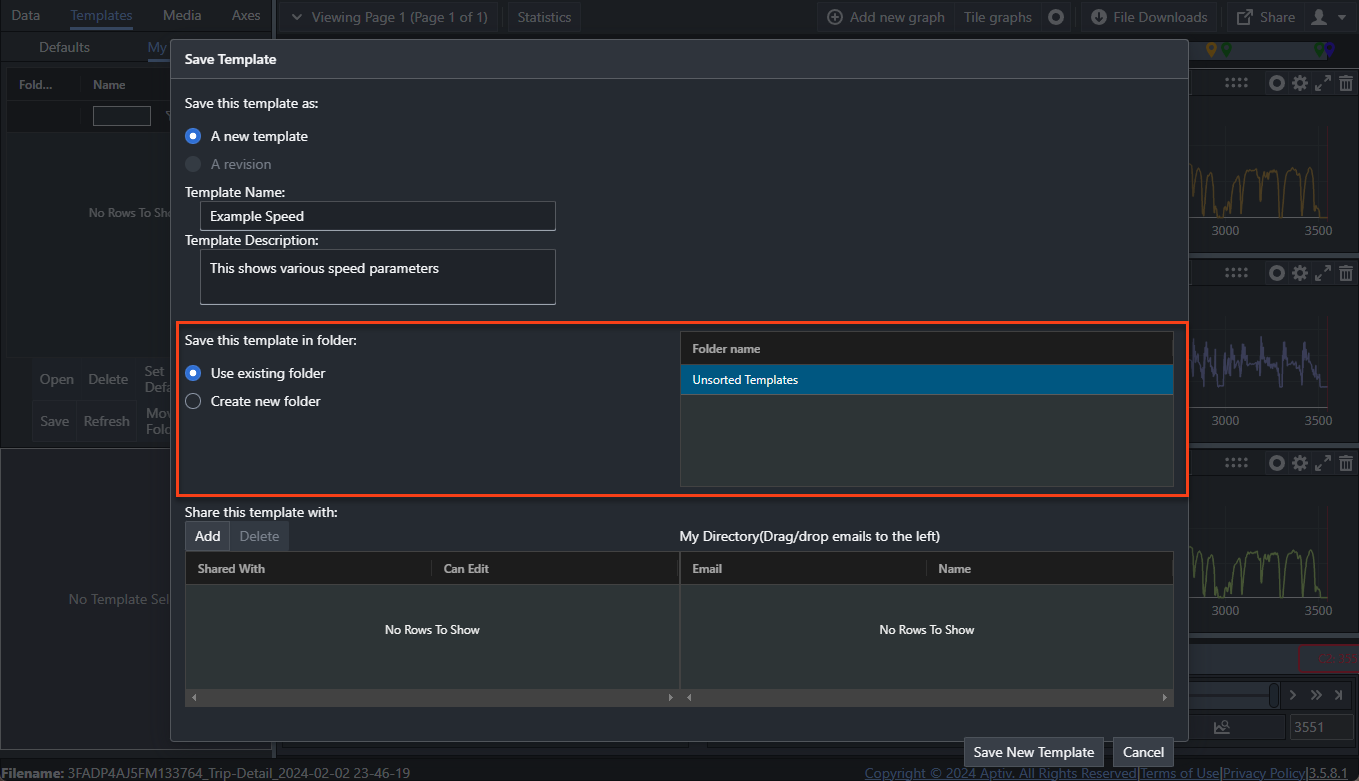
Enter a name in Template Name, and a description if you want one.
The name is required and has to be between 1 and 42 characters.
-
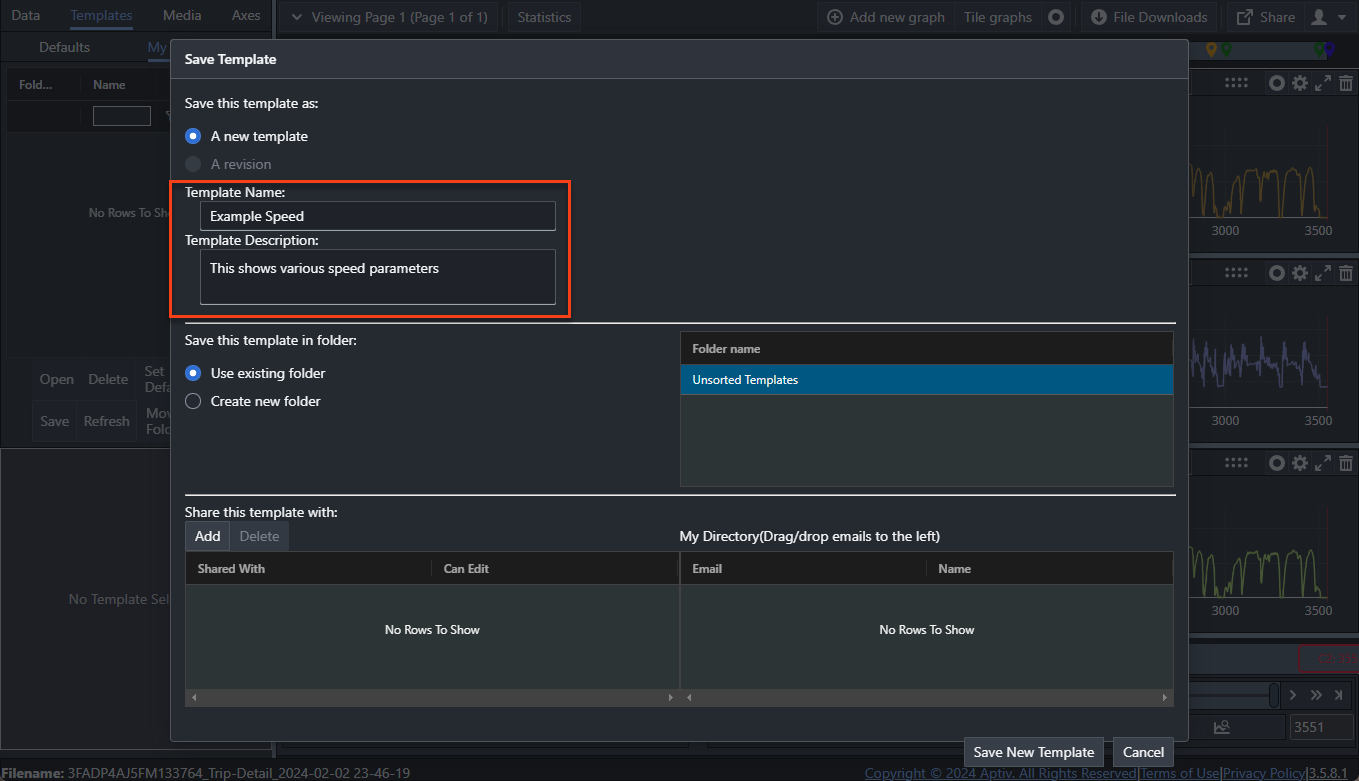
Choose a folder. New templates go to
Unsorted Templatesunless you pick another.Your folders are private; other users cannot see them or save templates into them.
-
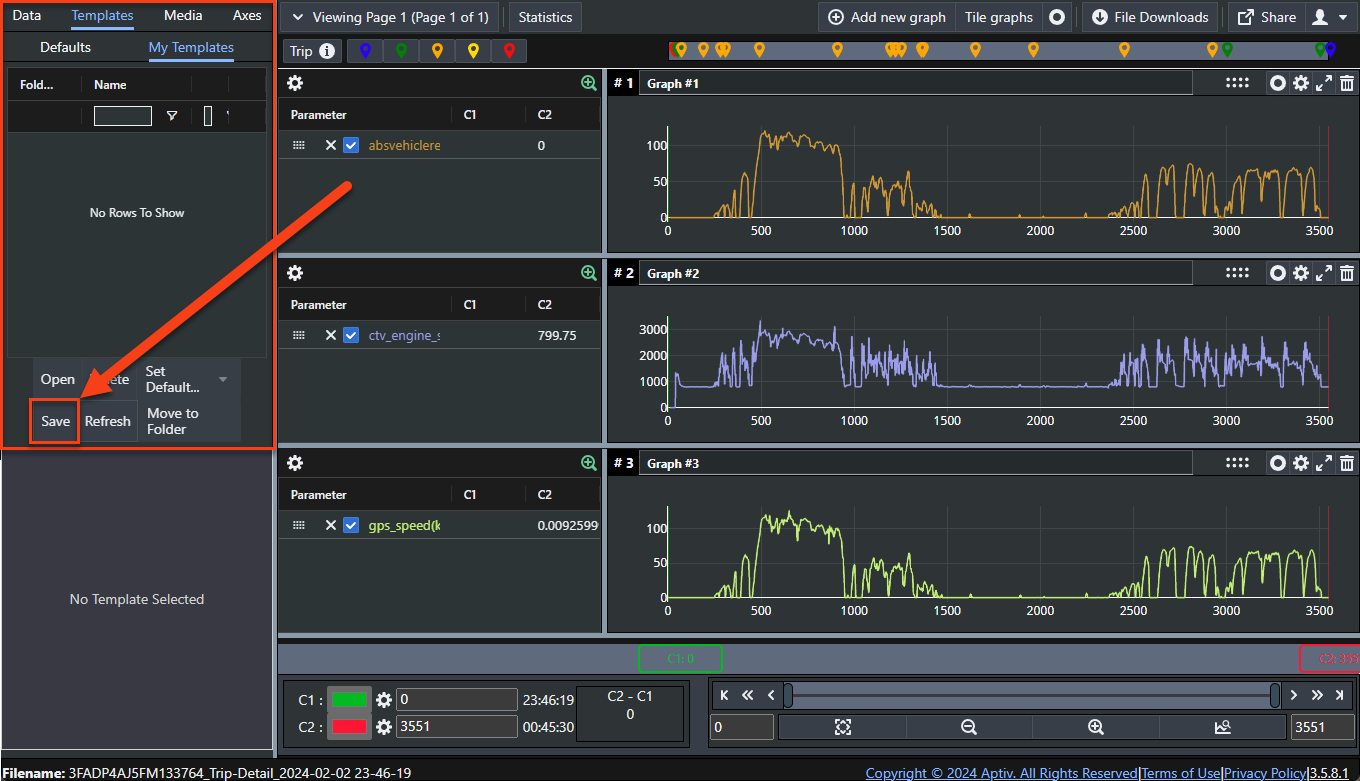
To share the template, click Add and enter an email address. Addresses you have used before appear in the My Directory column on the right, and you can drag one across instead of typing it.
Select Can Edit beside a person to let them change the template as well as open it.
-
Click Save New Template, or Cancel to leave without saving.
Templates also retain axis settings. See Manage the x and y axes.