Create a synthetic with Signal Composer
Signal Composer combines parameters already present in a file into a calculated parameter, called a synthetic. You build the expression visually by connecting sources and operators. For an explanation of the available nodes, see Signal Composer.
Synthetics are temporary. They remain available for the current session but cannot be stored in a template or reopened later.
-
Open AC-Graph.
-
Click Custom Parameters at the bottom of the parameter list.
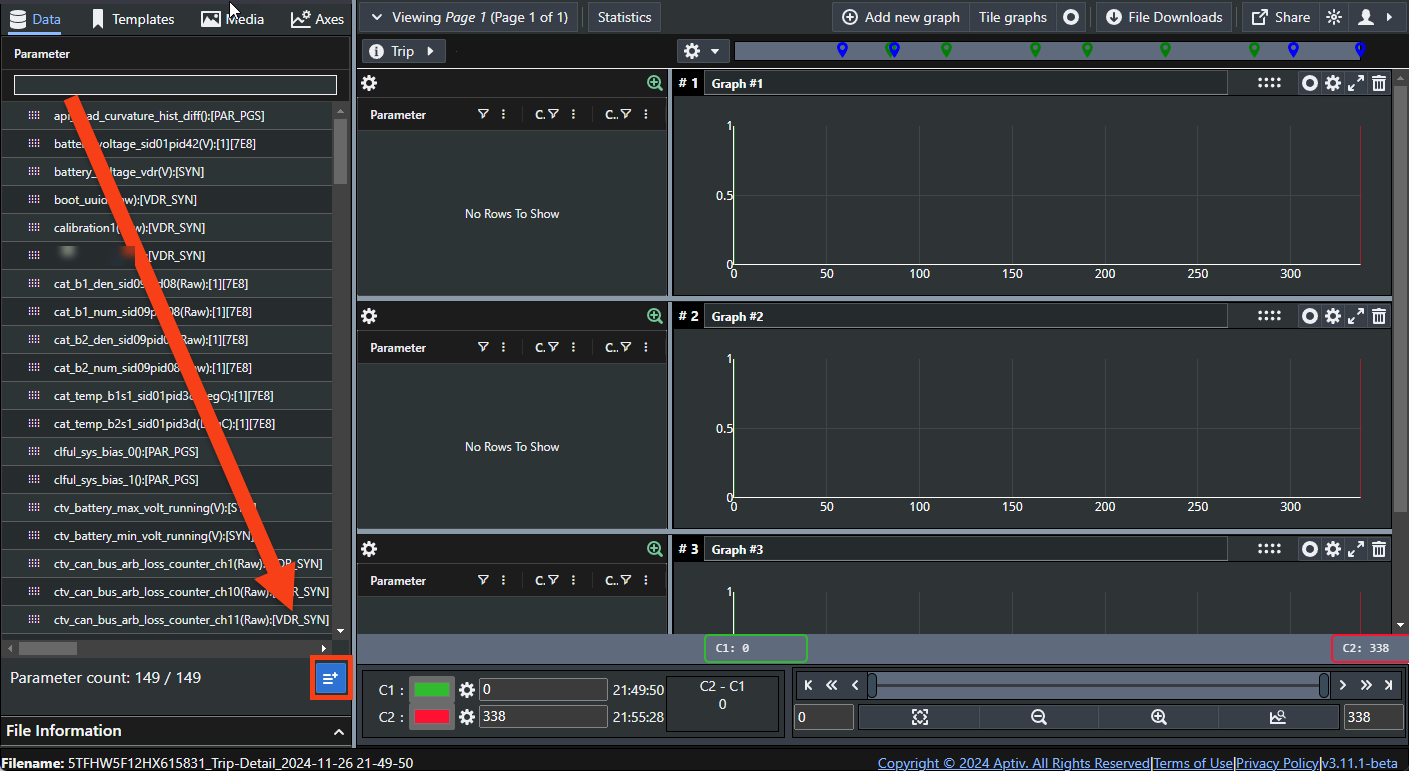
-
Scroll down to Signal Composer.
If the expression builder is already empty, you do not need to click New. Clicking New discards whatever is in the builder and starts again.
-
Name your expression. A name is required.
-
Right-click in the builder space to add sources and operators, and connect them until the terminus node turns green.
-
Click Save.
The new synthetic appears in the parameter list, ready to plot like any recorded signal.